
On this page
You lift the phone to your ear and the screen goes dark. Pull it away and it lights up again. Nothing touched the glass. The phone simply saw your face coming, using light you cannot see.
What is the proximity sensor in a phone?
A proximity sensor tells the phone how far away an object is from the device. The Android developer documentation says this sensor is usually used to work out how close a person's head is to the handset during a call, and that it reports distance in centimetres.
Not every sensor reports an exact distance. The same Android page explains that most return an absolute distance, but some return only two states, "near" or "far", and that the far value is typically more than 5 cm. For blanking a screen, near or far is all the phone needs to know.
Why bother? With your cheek on the glass, a live touchscreen could read your ear as taps, and you could end the call by accident.
How does infrared light bounce back off your face?
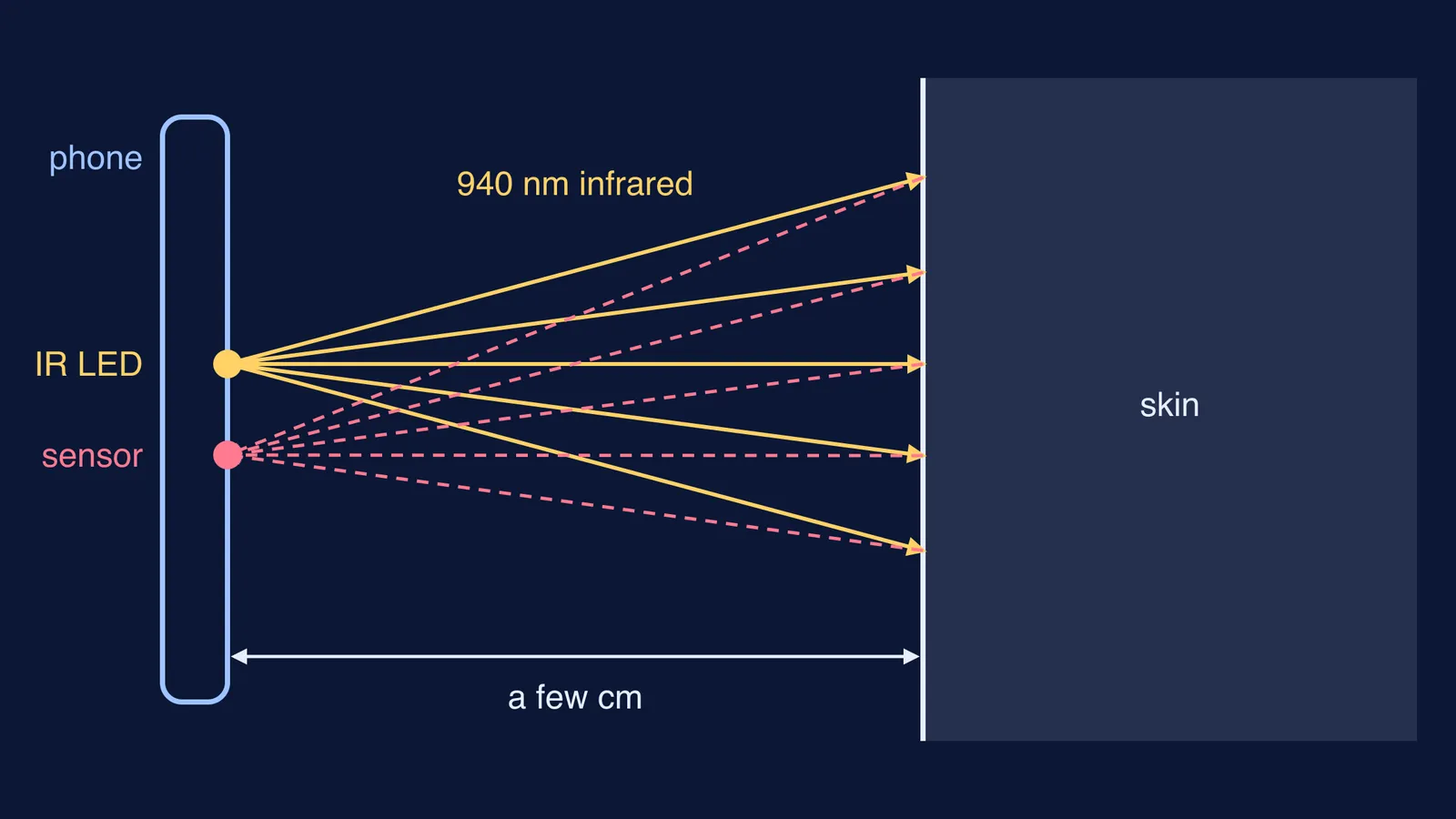
Open up a typical sensor and you find two parts side by side: a tiny light source and a light detector. The datasheet for one widely sold part, the Vishay VCNL4040, lists an infrared emitter, a proximity sensor and an ambient light sensor in one package 4.0 mm long.
That emitter shines at 940 nm, and the proximity detector's peak sensitivity is at the same wavelength, according to the same VCNL4040 datasheet.
The human eye typically detects wavelengths from 380 to 700 nanometres, according to NASA's guide to visible light. So 940 nm sits past red, in the near-infrared. NASA's infrared page notes that a typical TV remote control uses infrared around 940 nm, and that many things reflect infrared light, particularly near-infrared.
Your skin reflects some of it too. Skin is rough on the scale of a light wave, so it scatters light in many directions. That is diffuse reflection, and the laws of reflection still hold at every tiny patch, as our explainer on regular and diffuse reflection shows. Some scattered light lands on the detector, and the closer your face, the more comes back.
The VCNL4040 datasheet rates the detection range at 0 to 200 mm on a white test card, and gives emitter on/off duty ratios of 1/40 to 1/320, so the light is flashed in short pulses rather than left on.
How does the phone decide "near" or "far"?
The detector turns the returning light into a number. The phone compares that number with thresholds. The VCNL4040 datasheet describes programmable upper and lower thresholds, plus an adjustable "persistence" setting to prevent false triggers.
A worked example, with made-up counts to show the logic rather than any real phone's settings:
Phone on the desk: the detector reads 30. Screen on.
You raise it: 120, then 400, past an upper threshold of 300. Persistence wants a few readings in a row above 300, so a passing hand does not count.
Screen off. Your head shifts and the reading wobbles between 260 and 350.
Screen stays off: it only switches back on below a lower threshold of 150.
You lower the phone: 90. Screen on.
Why doesn't sunlight fool the sensor?
Sunlight contains plenty of infrared. The VCNL4040 datasheet lists background light cancellation, including sunlight, among its features. The aim is a reading that follows the sensor's own light rather than the light around it.
A forehead thermometer works the other way: it sends nothing out and reads the infrared your body gives off, as in how a forehead thermometer reads temperature without touching. A closer relative is the car parking sensor, which sends a signal and waits for it to return, as in how car parking sensors time an ultrasonic echo, with sound instead of light.
Why does my screen stay black, or not turn off, during calls?
Usually something is blocking or confusing the light path. Try these in order:
Wipe the top edge of the screen; dirt there can get in the way of the light going out and coming back.
Check whether a screen protector, case lip or sticker covers the area near the earpiece.
Restart the phone, then test on a call by covering and uncovering the top of the screen with your hand.
If it still fails, ask the manufacturer's service centre to check the sensor.
How does this connect to what you study?
This feature touches two syllabus ideas: the electromagnetic spectrum (infrared sits just beyond red) and reflection from a rough surface. A useful exam habit is to explain any device in four steps: what is emitted, what it hits, what comes back, and what decision is made.
Reflection is one of those ideas that is easier to see than to read. The Fermi Simulation Lab has interactive simulations for ideas like these.
Next time your screen goes dark on a call, it has just caught its own infrared bouncing off your cheek.