
On this page
You solved a tough doubt with an AI chatbot and want to drop the conversation into your class group. Before you paste the link, know what it shows, who can open it, and how to take it back.
What does a shared AI chat link actually show?
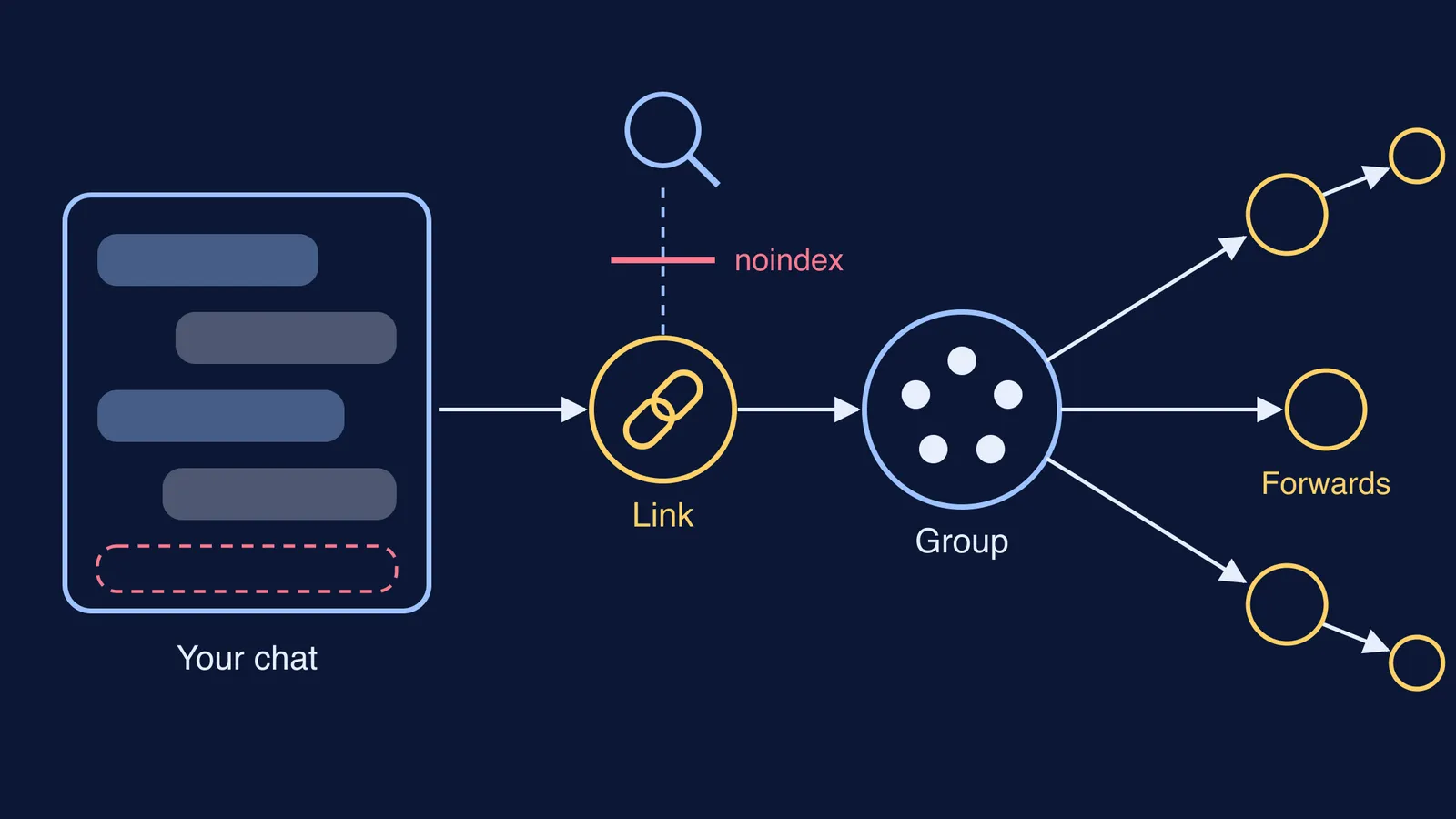
A share link opens a read-only snapshot of your conversation. On ChatGPT, messages you add later from a personal account "are not included automatically", according to OpenAI's shared links help page. Google says a Gemini public link shows "the chat as it appeared when you created the public link" (Gemini Apps Help). On Claude, messages you send afterwards stay private unless you update the snapshot (Claude Help Center).
What else travels with it:
ChatGPT: anonymous by default, but uploaded images and files can appear, and some older sharing experiences may show your name.
Gemini: no name or account on the page, but an image you uploaded is downloadable from it.
Claude: messages, artifacts and charts are included; attached files are not.
The app may hide your name, but the chat can still give you away: a school name, a phone number, or a photo of a test with your roll number is all in the link.
Who can open a shared chat link?
Anyone who has it. OpenAI says anyone who has a link created from a personal account can view the shared conversation (OpenAI). Google says anyone with the link can read the chat "even if you didn't share the link with them directly", and can reshare it or continue the chat on their own (Gemini Apps Help). Claude says no Claude account is needed to open one (Claude Help Center).
One exception: a link made in a ChatGPT Business, Enterprise or Edu workspace opens only for eligible members of that workspace, per OpenAI.
So the group is not the limit: any member can forward the link anywhere.
Can a shared AI chat show up on Google?
Usually not, by design. Noindex is a rule, set in a page's code or headers, that tells search engines not to index that page, as Google Search Central explains. Claude says its shared chats carry this noindex instruction, and OpenAI says shared link pages are "not intended for search-engine indexing, but this does not make a link private."
This has gone wrong before. ChatGPT's share pop-up once had a "Make this chat discoverable" checkbox, and shared chats with personal details turned up in search results. OpenAI removed the option, The Register reported on 1 August 2025. Dane Stuckey, OpenAI's chief information security officer, said the feature "introduced too many opportunities for folks to accidentally share things they didn't intend to."
And noindex only affects search engines: a link pasted on a public forum is open to everyone reading it.
How do you find and delete your shared links?
Each app lists the links you have made:
ChatGPT: Settings, then Data controls, then Manage next to Shared links. Delete one link, or use More actions to delete all. Deleting a conversation also removes its link (OpenAI).
Gemini: on gemini.google.com, Settings, then Your public links, then Delete public link. The old link then says the chat no longer exists (Gemini Apps Help).
Claude: turn sharing off from the Share menu, or from Settings, then Privacy, under Shared chats. Once it is off, the link stops working (Claude Help Center).
Deleting has limits. OpenAI says it does not remove a conversation someone already saved, Google says it does not delete posts containing the link on other sites, and Anthropic says it cannot remove copies or screenshots others made.
Whether a company trains on your chats is a separate setting; see how to stop AI companies using your chats for training.
A four-step check before you post a link in a group
Read, Remove, Reduce, Revoke:
Read: open the link in a private or incognito window. That is what a stranger sees.
Remove: look for your name, school, phone number, address, roll number, document photos, and details about other people. Photos can hide details too; see how to check a photo for location data before posting.
Reduce: if the group does not need the whole chat, start a fresh one with just the question and share that.
Revoke: delete the link once the doubt is sorted, and clear your shared links list each term.
A made-up example: Riya, in Class 11, wants her group's view on a rotational motion answer, but her chat starts with a photo of her unit test showing her roll number. She spots it in incognito, deletes that link, retypes the question in a new chat and shares that instead.
Parents, a calm line beats a ban: "Open it the way your friend will see it. Anything there you'd mind a stranger reading?"
If you are sharing because you are stuck on a method, the Fermi Problem Library has worked problems with a step-by-step solver that explains the reasoning rather than printing an answer.
For your own revision, see how to use old AI chat history for revision.