
On this page
The first month of college brings a flood of groups: your section, your branch, the hostel wing, the mess, two clubs, the fest committee, your old coaching batch. Somewhere between the forwards and the memes sits the one message that matters, such as a lab moved to Thursday or a fee deadline. The fix is to decide, once, which groups may interrupt you.
Why do too many WhatsApp groups make you miss notices?
There are two costs, and they pull in opposite directions. In a study by Cary Stothart and colleagues, cell phone notifications alone significantly disrupted performance on an attention-demanding task, even when participants did not touch the phone. The authors reported that the distraction was comparable to actually using the phone for calls or texts.
So full alerts on every group break your study time, but muting everything means the one real notice slips past. The goal is fewer alerts from groups that rarely carry deadlines, and a sure path for the few that do.
How do you sort college WhatsApp groups?
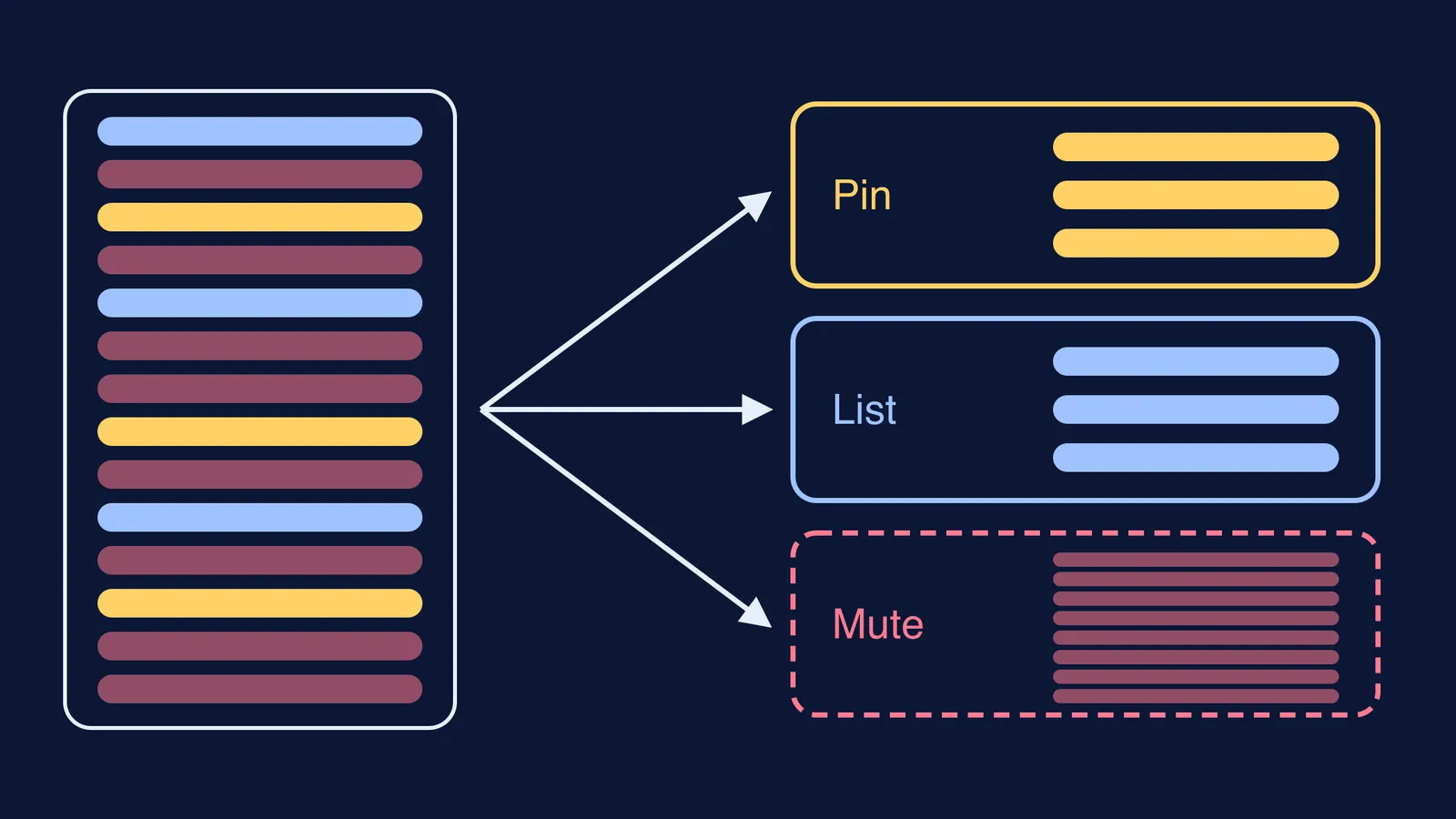
Go through your chat list once and put each group in one of three tiers.
Tier 1, must see: the official section or class group where your class representative (CR) posts, any course group a faculty member uses, and the hostel office group. Pin these so they stay at the top of your chats, and keep their notifications on.
Tier 2, check daily: clubs you are active in, your project team, your lab batch. Put these in one custom list and set notifications to Highlights.
Tier 3, browse when free: batch-wide chatter, fest promotions, school and coaching alumni groups. Mute them and stop checking them during study hours.
WhatsApp's own tools match this sort. Its chat filters put All, Unread and Groups views at the top of your chat list. Its Lists feature lets you make your own categories by tapping the + in that filter bar, and a list can hold both groups and one-to-one chats.
For busy groups, WhatsApp added a "Notify for" setting in 2025. Choosing Highlights limits alerts to @mentions, replies and messages from saved contacts. Menu names can differ by app version; look in the group's info screen.
What does this look like for a first-year student?
Here is an example of a first-year B.Tech student in a hostel.
Section group (CR posts timetable changes): pinned, alerts on
Hostel office group: pinned, alerts on
Physics lab batch group: Tier 2 list, Highlights
Robotics club working group: Tier 2 list, Highlights
Hostel wing chat: muted
Fest volunteers (broadcast-style updates): muted, checked once a day during fest season
Coaching batch from Class 12: muted
The test for each group is one question: if I missed a message here for a day, could it cost me marks, money or a seat? If yes, it goes in Tier 1. If you would only miss a plan with friends, it belongs in Tier 3.
How do you ask for a notices-only group?
The best fix is often upstream. WhatsApp has a group setting where only admins can send messages, made for groups that mainly share announcements. If your section has one chatty group for everything, you can suggest a split. Here is a message you can adapt for your CR:
"Hi, could we make a separate notices group where only CRs and faculty can post? Timetable changes, deadlines and exam dates there, and everything else stays in the main group. That way nobody misses an update because it got buried."
Once the notices group exists, it becomes your only Tier 1 class group.
How do you make sure you never miss a deadline?
Sorting reduces noise. A short daily sweep catches the rest.
Each evening, open your pinned Tier 1 groups and read everything since yesterday.
Tap the Unread filter and scan the names for anything that looks official.
Open your Tier 2 list and reply to anything that mentions you.
Copy every date into your calendar the moment you see it, so a chat is never the only place a deadline lives. Our guide to using Google Calendar for a study timetable shows how to set reminders.
Leave Tier 3 for a free half hour on the weekend, or ignore it.
Fit the sweep into a fixed slot in your daily routine for engineering college, such as right after dinner. If your class group often fills with "did anyone understand today's lecture?", our piece on making a class WhatsApp group useful for studies has ideas for turning that chatter into real help.
When the doubt is about a topic you missed, you can look it up yourself in the Fermi Concept Library, which covers every concept in physics, chemistry, biology, mathematics and computing, each with its own lesson.
Start tonight: pin your two or three notice groups, make one list, and mute the rest.