
On this page
Your child wants to prepare for JEE Main or NEET-UG, and the nearest coaching centre is a long bus ride away, or in another state. Online coaching is the obvious option. Whether it works depends less on the platform than on three plain things at home: the connection, the device and a routine someone checks. Here is what the evidence says and a plan you can start this week.
Can online coaching for JEE or NEET work from a small town?
Getting online is no longer the main hurdle. In the Comprehensive Modular Survey: Telecom, 2025, run by the National Statistics Office, 83.3% of rural households had internet access within their premises, against 91.6% in urban areas. The same survey found that 92.7% of rural people aged 15 to 29 had used the internet in the previous three months.
Owning the phone is a different story. In ASER 2024, 89% of rural 14 to 16 year olds had a smartphone at home and 82% knew how to use one, but only 31% of those who could use one owned it, according to ASER Centre researchers Deepak Kumar and Shweta Bhutada. For a JEE or NEET aspirant, a shared family phone means missed live classes.
The research on format is a useful warning. In a study of students at a large US university, Eric Bettinger and colleagues found that taking a course online instead of in person lowered grades and progress, in that course and in later ones. Format is not everything, though. In Delhi, Karthik Muralidharan, Abhijeet Singh and Alejandro Ganimian found that a personalised after-school technology programme for middle-school students raised maths scores by 0.37 standard deviations in 4.5 months, with the biggest relative gains for students who started furthest behind. Online learning works when it adds structure and practice at the student's level, not when it is a video left playing.
How much internet does a live online class need?
Zoom's published figures are a useful benchmark; other class apps will use more or less. For group video, Zoom lists 600 kbps download for high-quality video and 1.8 Mbps for 720p HD; screen sharing alone needs 50 to 75 kbps and audio 60 to 80 kbps.
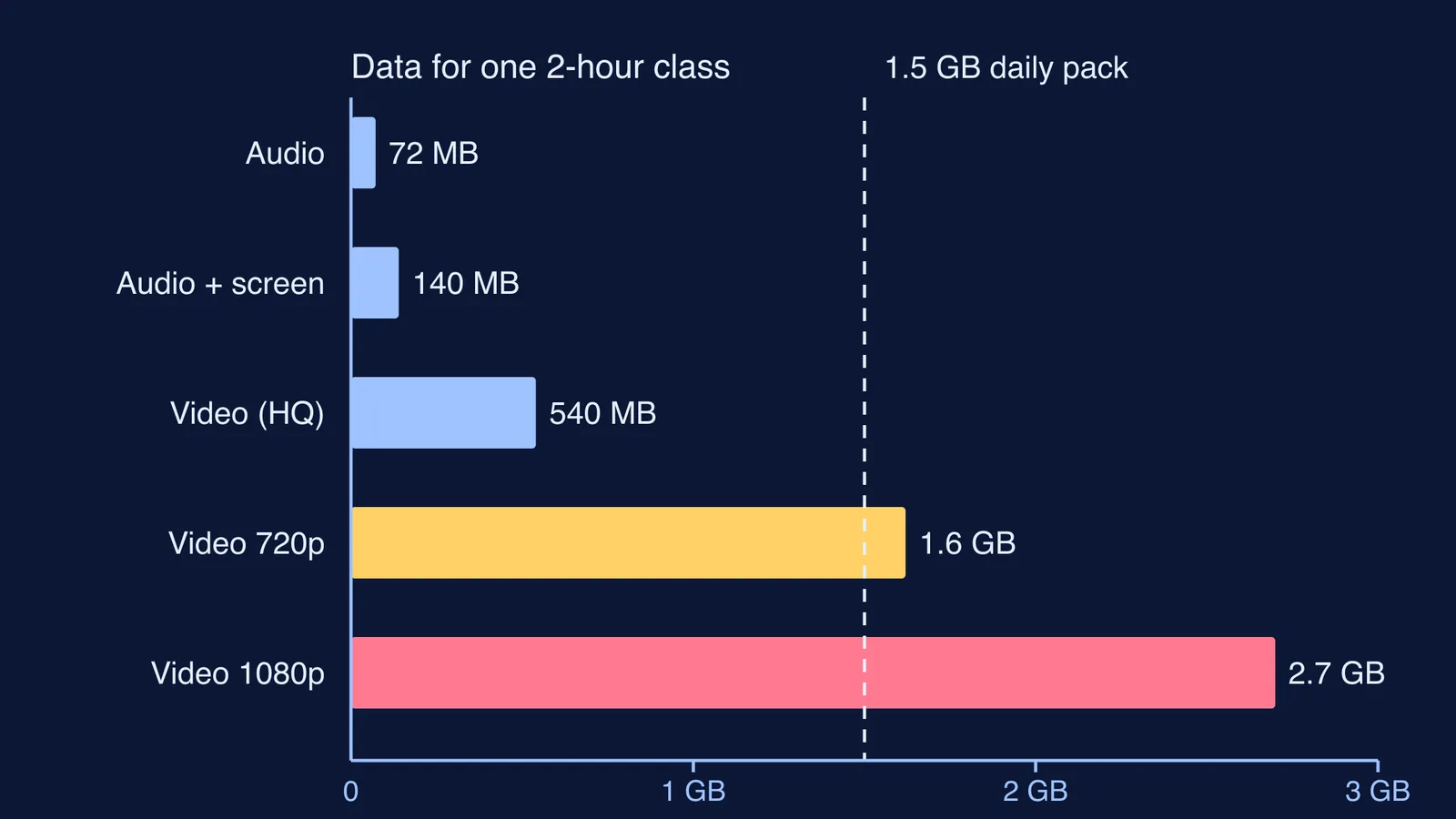
Here is the worked example for one two-hour class, from the top of those ranges (bit rate times 7,200 seconds):
Audio only: about 72 MB
Audio plus the teacher's screen or board: about 140 MB
High-quality video: about 540 MB
720p HD video: about 1.6 GB
A single 720p HD class can use more than a 1.5 GB daily pack, before doubt sessions or tests. Set the class app to lower video quality, turn off incoming video if the board is shared, and download recordings on Wi-Fi where you can. Our guide to studying online with slow internet or a small data pack has more settings to try.
Which device does an online coaching student need?
A basic setup that holds up:
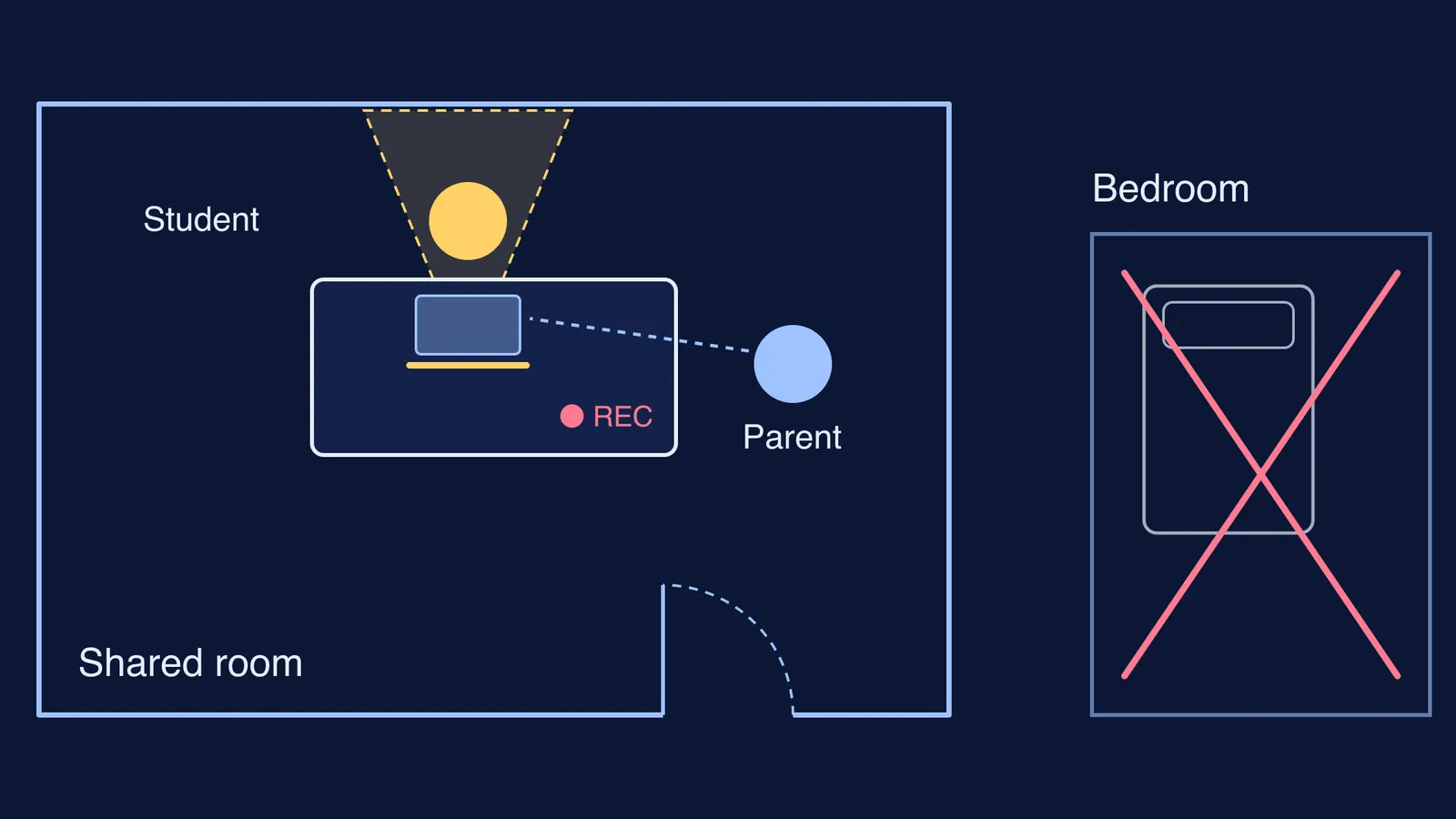
A phone or laptop the student has to themselves during class hours
Wired earphones with a microphone, so doubts can be asked aloud
A stand that keeps the screen at eye level, and a charger within reach
A backup plan for power cuts, such as a charged power bank
A paper notebook for working problems, so every solution is not just a screenshot
If you are deciding between a laptop and a new phone for online mock tests, read our parent's guide to choosing a laptop or phone for JEE mock tests.
What should parents check each week?
Online coaching has no attendance register you can see from the gate, so a short weekly check does that job. Keep it to 15 minutes on a fixed day, and ask rather than inspect.
Classes: "How many live classes were there this week, and how many did you attend live?"
Doubts: "Which doubt is still open? Who will you ask, and by when?"
Tests: "In the last test, which mistakes were silly and which were not knowing the method?"
Setup: "Did the internet or phone cause any trouble? What should we fix?"
Next week: "What is the one thing you will do differently?"
A doubt that sits unanswered for days is where online students fall behind, because there is no teacher in the corridor. For that gap, the Fermi Problem Library has worked problems with a step-by-step solver that explains the reasoning rather than printing an answer. Our post on staying disciplined in online coaching at home covers the student's side of the routine.
Start with this Sunday: work out the data for the week's timetable, agree whose phone is for class, and hold the first 15-minute check.