On this page
Setting boundaries around smartphones is one of the most common challenges for parents today. If your child has their own iPhone, Apple's Screen Time features let you manage their access directly from your own device using Family Sharing.
It is worth setting these limits because the time spent on a device directly affects cognitive development. A 2018 study of over 4,500 children found that they averaged 3.6 hours of recreational screen time per day **(Lancet Child & Adolescent Health)**. The same study found that children who kept recreational screen time under two hours scored significantly higher on tests of memory, attention and language **(Lancet Child & Adolescent Health)**.
Here is how you can use the built-in tools to help them build healthier habits and ensure their device is a tool for learning, not just a distraction.
How to set screen time limits on a child's iPhone?
If you use Apple's Family Sharing, you do not need to take your child's phone away to adjust their limits. You can do it all from your own iPhone or iPad **(Apple Support)**.
Open the Settings app on your own device.
Tap Family, then tap your child's name.
Tap Screen Time.
Follow the onscreen instructions to set up parental controls for your child and create a four-digit Screen Time Passcode.
Choose a passcode that your child cannot guess, and do not use the same code that unlocks your own phone. This passcode ensures that only you can extend limits or change the schedule.
If you cannot use Family Sharing, you can adjust the parental controls directly on the child's device.
What happens during a Screen Time Schedule?
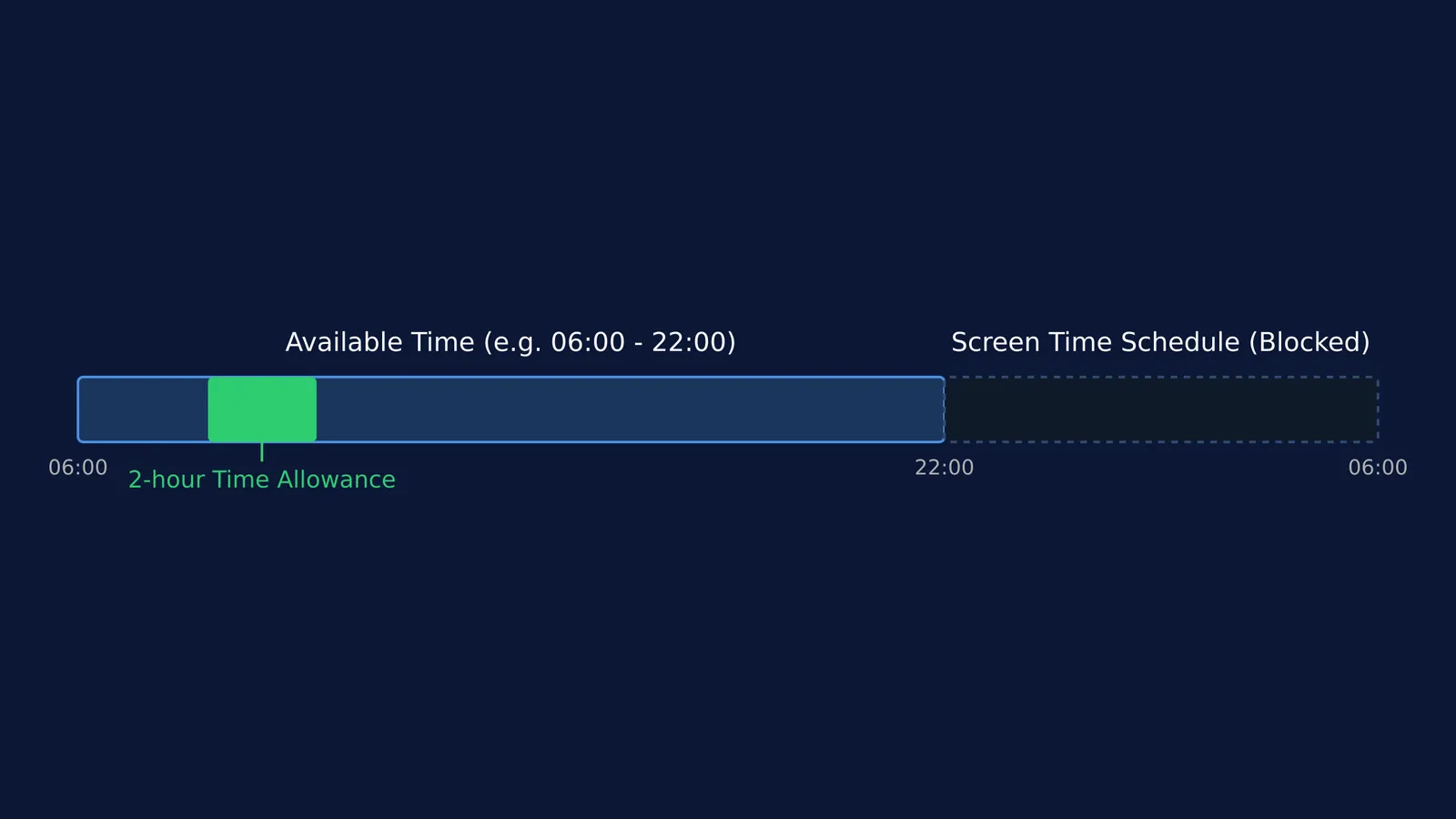
Screen Time Schedules (formerly called Downtime) allow you to choose which apps your child can access at different times of the day, such as before, during, or after school. When a schedule is active, only phone calls and the specific apps you choose to allow are available.
To set it up, go to your child's Screen Time menu and set a schedule. You can set a consistent routine for every day, or customise it so that limits are stricter on school nights and slightly more relaxed on weekends. You can also quickly pause device use or change the schedule for the day right within the settings.
During this period, any app that is not explicitly allowed will not be accessible.
How do Time Allowances work?
While schedules block the phone for a set period, Time Allowances (formerly App Limits) restrict how much time a child can spend on specific types of apps each day.
Under the Time Allowances menu, you can set daily limits for categories like entertainment or social media. For instance, you might allow one hour of social media per day. Once the limit is reached, the apps in that category pause. If they need to finish a task, the child must ask you for more time, which you can approve or deny from your own device.
This feature is particularly helpful for teaching time management, as it forces the child to budget their allowed minutes across the day.
How to turn screen time into active learning?
Not all screen time is equal. The research differentiates between passive scrolling and active, educational use. Rather than just blocking distractions, you can guide them toward tools that demand active thought.
If your child struggles to begin studying when they pick up their device, Fermi's AI tutor can work out what they already know and build a plan for the session, so they sit down to a clear next step. When they want to learn a specific topic instead of scrolling, the Fermi Concept Library covers every concept in physics, chemistry, biology, mathematics and computing, each with its own lesson and its place in the map.
How to block specific content?
Under the Screen Time menu, you can also lock down what your child can see and do on their device. This allows you to:
Block inappropriate or explicit web content.
Prevent purchases or require "Ask to Buy" to stop unexpected credit card bills.
Restrict changes to privacy settings, ensuring they cannot share their location without your permission.
If you are wondering about the wider picture, we have also looked at family rules around phones and homework and what the research says about video game limits. Setting these boundaries is part of creating a broader study space at home.