
On this page
Your child has asked to start a blog. You may feel pulled two ways: you want them writing, and you don't want their life on the open internet. Both are fair, and you don't have to choose. A blog can start small, private and supervised, then open up as your child shows good judgement.
Should my child start a blog?
Writing for a reader is a strong reason to write at all, and many children now write very little outside school. In the UK's National Literacy Trust 2025 survey, only 26.6% of children and young people aged 8 to 18 said they enjoy writing in their free time. The same survey found just 10.4% wrote something daily in their free time.
So if your child wants to write, that interest is worth protecting. The question is not yes or no, but how: which platform, what settings, what topics, and who reads a post before the world does. For more on what students gain from blogging, see our piece on blogging for students.
What are the age rules for a child's blog in India?
Two rules matter here. First, platforms set their own minimum age. Google says 13 is the minimum age to manage your own Google Account in countries not listed separately, and India is not listed. Younger children can use an account a parent creates and manages through Family Link.
Second, the law. Under India's Digital Personal Data Protection Act, 2023, a child is anyone below 18, and platforms must get verifiable consent from a parent or guardian before processing a child's personal data. The DPDP Rules were notified on 14 November 2025 with an eighteen-month period for phased compliance.
Money is a separate line. Google AdSense, which puts adverts on blogs, accepts applications only from people who are at least 18, though a parent or guardian can sign up with their own account, and any payments then go to the adult. For a first blog, we suggest leaving adverts out entirely.
Which privacy settings should you switch on first?
If you use Blogger, its reader access setting has three options: Public, Private to authors, and Custom readers, where only people you invite can read. Start with Custom readers and invite grandparents, a cousin or a favourite teacher.
Then set comment moderation to Always, so comments wait for your approval before they appear, and limit who can comment to members of the blog. Other platforms have similar settings under different names; look for reader access, comment approval and search-engine visibility before the first post.
The trickier part is what your child shares. Agree early on a pen name, no school name or uniform in photos, no home area, and no posting while away. Our guide to a cyber safety talk with a ten-year-old has words you can borrow.
What should a child blog about?
Good topics are ones your child can write about again and again without revealing much about themselves:
Book reviews, with a rating system they invent
A science question each week, such as why the sky looks blue, explained in their own words
A hobby log: cricket stats, plants on the balcony, a coding project
Recipes from family cooking, without faces or the home shown
Short stories or poems
Explaining an idea to a reader quickly shows where your own understanding has gaps. If a science post gets stuck, Fermi's Concept Library has a lesson for every concept in physics, chemistry, biology, mathematics and computing, so your child can check the idea before they explain it.
How should parents review posts before they go live?
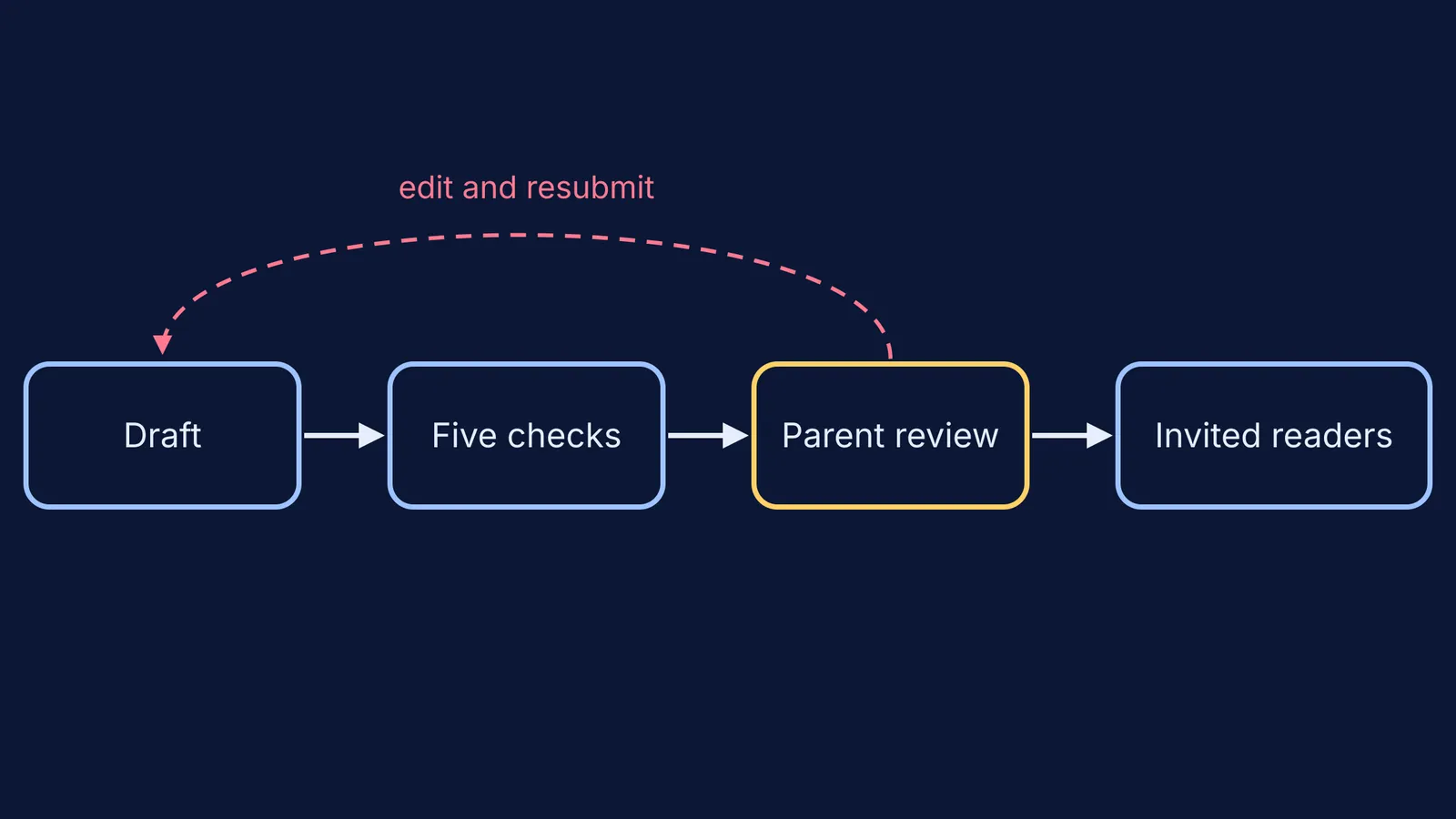
Agree on the process before the first post, so review feels like an editor's job rather than spying. Your child runs the same five checks on every draft, then you read it with the same list:
Could a stranger work out where I live, study or will be this week?
Does anyone else appear by name or face, and did they say yes?
Would I be fine with my teacher reading this in five years?
Is anything copied, including pictures, without credit or permission?
Is it kind to the people it mentions?
A simple script helps: "I'm reading this as your first reader, not your judge. I'll only stop a post for safety or someone else's privacy. Everything else is your call." Then keep your word, and let style choices you dislike go through.
As your child gets older, step back on purpose. A 15-year-old might review their own posts against the checklist and show you only the ones they are unsure about. Our piece on how much privacy to give a teenager can help you decide when.
If a comment or message ever frightens or upsets your child, save it, block the sender and talk it through together. If the worry stays, you can call the government's free Tele MANAS helpline on 14416 or speak to a counsellor.
Tonight, sit down together, choose a pen name and write the five checks on a card next to the computer.