On this page
If you are stuck on a physics or maths problem, your first instinct when opening an AI tutor is probably to paste the question and hit enter.
But there is a better way: type out the steps you have already tried, even if you know they are wrong. Sharing your half-finished attempt before asking for help changes the way you learn and forces the AI to act like a real teacher.
Should I show my working to AI before asking?
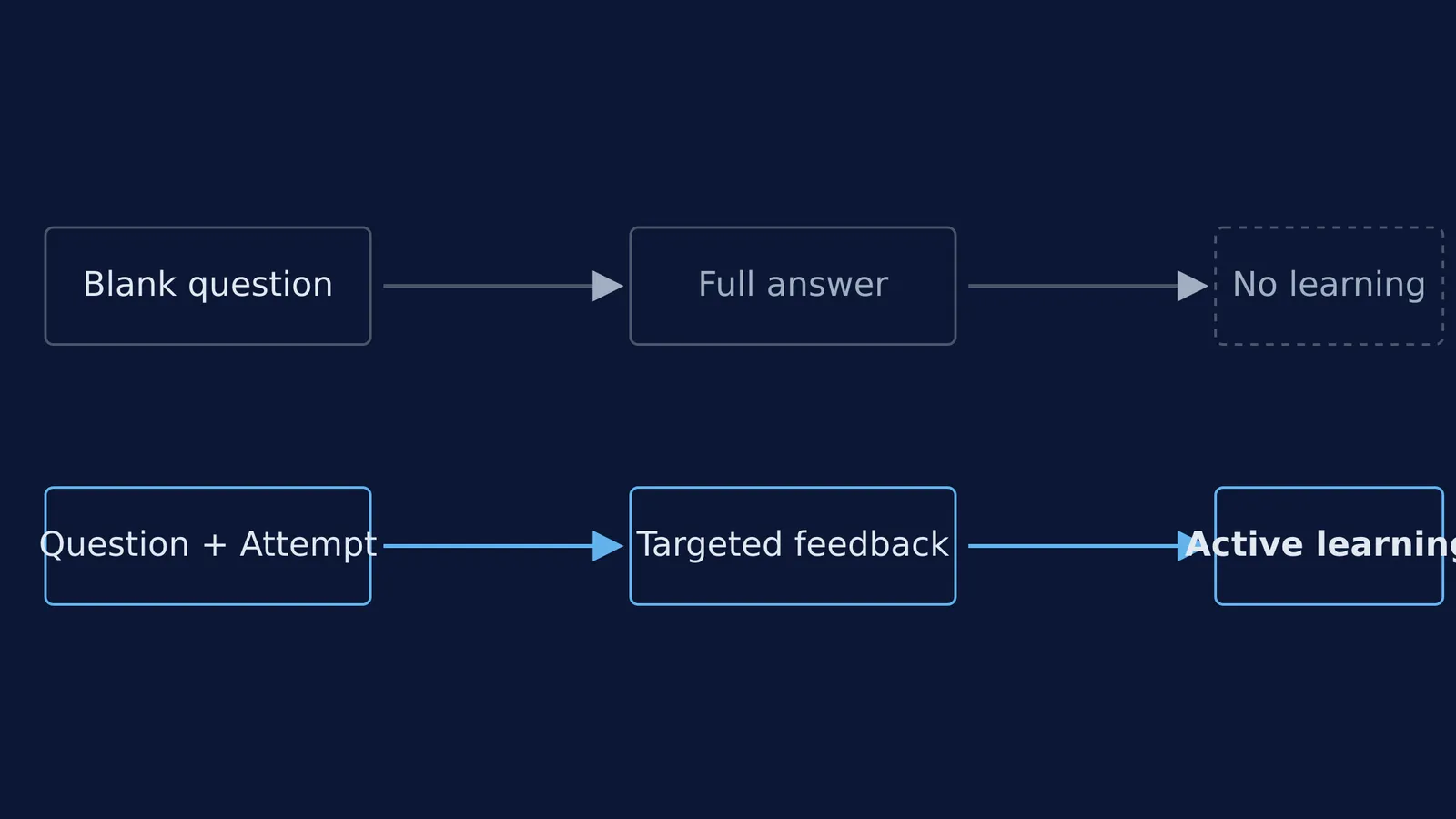
Yes, you should always show your working to an AI before asking a question. When you hand over a blank problem, the AI simply solves it for you. This bypasses the cognitive effort required to learn.
Struggling with a problem yourself first is an effective learning strategy. A 2016 review of productive failure by Manu Kapur in the *Educational Psychologist* found that students who tried to solve a problem and failed before being taught the correct method gained a deeper conceptual understanding than those who were shown the method first Source.
By wrestling with the problem, your brain notices the exact gaps in its knowledge. When the explanation finally comes, it makes sense immediately because you have already explored the dead ends. If you skip the struggle, you suffer from the illusion of fluency—mistaking the ability to follow someone else's neat steps for the ability to perform them yourself.
What happens when you ask AI a blank question?
General AI chatbots are built to be helpful and fast. If you give them a bare question, they will usually print out a full, finished answer in seconds.
This is an answer key, not tutoring. It completely robs you of the chance to practice. Furthermore, large language models can sometimes hallucinate or make arithmetic errors when generating long, unguided solutions. When you paste your working, you anchor the AI to your specific context, which reduces the chance of it wandering off into a completely wrong method when solving quadratic word problems in Class 10.
How does your working give the AI context?
When you share your attempt, the AI can see exactly what you understand and where you slipped up. Instead of a generic lecture, you get targeted feedback.
This is exactly how a dedicated learning platform approaches tutoring. Fermi's AI tutor works out what you already know and builds a plan for the session, teaching through the problem alongside you. It notices where a student is stuck and decides whether to explain, ask, or show.
Because the tutor can see your steps, it might reply that your free-body diagram is correct and your first equation is perfect, but suggest you look closely at the sign of the friction force in step 3. You fix the single error, carry on, and finish the problem yourself. This approach builds confidence and is much more powerful for exam preparation when studying the angle of repose and angle of friction.
How should I type my half-finished solution?
You do not need to format your attempt perfectly or use complex maths symbols to get good help. Here is a simple, four-step framework to show your work effectively:
State your goal: What are you trying to find?
List your givens: What numbers or facts did you pull from the question?
Show your steps: Type out the formulas you used and the numbers you plugged in. You can use plain text like `v^2 = u^2 + 2as` or `x = (-b + sqrt(b^2 - 4ac)) / 2a`.
Point out your roadblock: Tell the AI exactly where you got stuck.
If you are using a chatbot, you can copy and paste this script to start the conversation:
I am stuck on this problem: [paste problem]. Here is what I have tried so far: [paste steps]. I am stuck at [describe roadblock]. Please do not give me the full answer yet. Just give me a hint about what I did wrong or what my next step should be.
If you want to practice solving step-by-step, the Fermi Problem Library has worked problems with a step-by-step solver that explains the reasoning rather than printing an answer.
Next time you are stuck, do not just hand the problem over. Give the AI your messy, half-finished work. It turns a moment of confusion into a great opportunity to learn.