On this page
A pinhole camera is one of the simplest optical instruments: a box, a tiny hole, and a screen. It has only three settings you can change, which makes it a good place to practise predicting before you look. Below are the rules, a worked example and a prediction sheet.
Why predict before you move the slider?
In a study of classroom demonstrations, Catherine Crouch, Eric Mazur and colleagues found that students who only watched a classroom demonstration understood the idea no better than students who never saw it, while students who predicted the outcome first showed significantly greater understanding (American Journal of Physics, 2004).
That study tested live classroom demonstrations, not simulations. But a simulation is a demonstration you run yourself, so the same trap is likely to apply. If you just drag sliders and watch, it is easy to learn less than you think. Write down a number first, and a wrong guess shows you exactly which idea needs fixing.
How does a pinhole camera form an image?
Light travels in straight lines. A ray from the top of a tree passes through the hole and lands low on the screen; a ray from the bottom lands high. That is why the image is upside down.
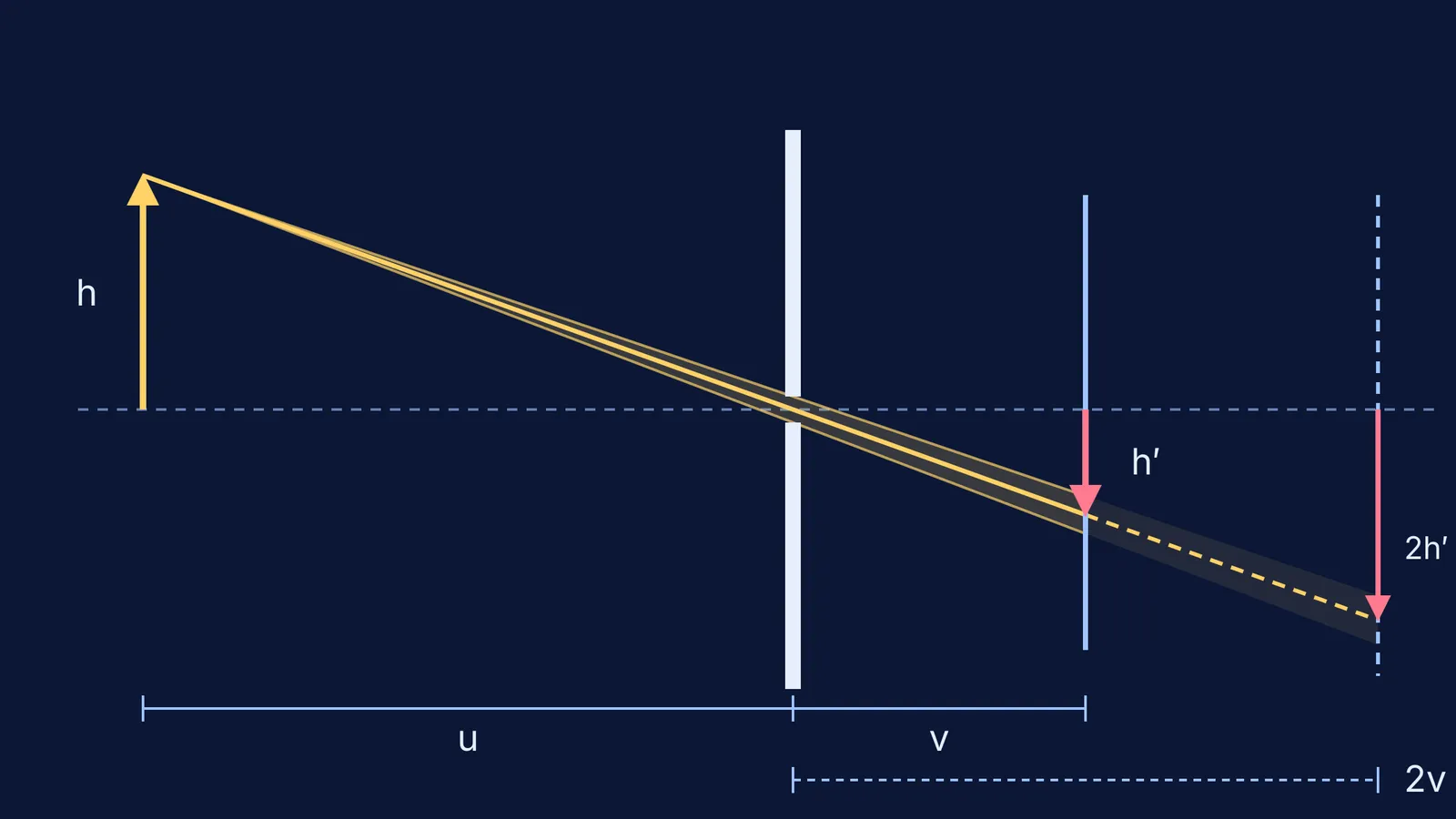
The two triangles on either side of the hole are similar, which gives the one equation you need:
image height = object height × (screen distance ÷ object distance)
Andrew Davidhazy's photography course notes at the Rochester Institute of Technology put it the same way: image size varies directly with the hole-to-screen distance and inversely with the subject distance. The same notes explain that a bigger hole brightens the overall image in proportion to the hole's area, and that brightness falls by the inverse square law as the screen moves back.
What happens to image size, brightness and sharpness when you change each setting?
Here is a worked example you can set up in any pinhole simulation. A tree 3 m tall stands 6 m from the hole, and the screen is 10 cm behind the hole.
Image size. 3 m × (0.10 m ÷ 6 m) = 0.05 m, so the image is 5 cm tall and inverted.
Move the screen back to 20 cm. The image doubles to 10 cm. The same light is now spread over four times the area, so by the inverse square law in the RIT pinhole notes, it is about one quarter as bright.
Walk the tree back to 12 m. The image halves to 2.5 cm.
Double the hole from 0.5 mm to 1 mm. The area goes up four times, so by the same notes the overall image gets about four times brighter. But each point of the tree now makes a blob roughly as wide as the hole, so the picture gets blurrier.
That is the pinhole camera's central trade-off: brightness and sharpness pull in opposite directions.
Is there a best pinhole size for a sharp image?
Shrinking the hole sharpens the image only up to a point. Below that, light spreading out by diffraction blurs it again. Lord Rayleigh worked out this balance in his 1891 paper On pin-hole photography in the Philosophical Magazine.
Davidhazy's notes give a working rule: the best pinhole diameter is C = 2√(wD), where w is the wavelength of light and D is the hole-to-screen distance. For green light of 550 nm and a 10 cm box, that gives 2 × √(0.00000055 m × 0.10 m) ≈ 0.47 mm. Stretch the box to 20 cm and the best hole grows to about 0.66 mm.
If your simulation lets you shrink the hole well below this, predict the image will get blurrier, not sharper. Our guide to predicting a single-slit diffraction pattern shows why narrow openings spread light out.
How do you run the pinhole experiment in a simulation?
Copy this prediction sheet into your notebook. For each change, write three words (bigger, smaller or same; brighter, dimmer or same; sharper, blurrier or same) and one number before you check.
Screen distance doubled: size? brightness? sharpness?
Object distance doubled: size? brightness? sharpness?
Hole diameter doubled: size? brightness? sharpness?
Hole shrunk to a tenth of the best size: sharpness?
Then run each change and mark every prediction right or wrong. For each wrong one, write one sentence on what you missed: similar triangles, the inverse square law, or diffraction.
You can try these changes in the Fermi Simulation Lab, which has interactive simulations for ideas that are easier to see than to read. If a result surprises you, Fermi's AI tutor notices where you are stuck and decides whether to explain, ask or show.
Our post on the limits of physics simulations covers more of these gaps. Once the pinhole feels obvious, add a lens: our guide to convex lens image formation in a simulation shows what changes when a lens takes the place of the hole.