On this page
In short
When two kids share a laptop for online classes, scheduling alternating blocks of online and offline time is the best way to prevent friction. Map out non-negotiable live classes first, then ensure neither child is left waiting.
When two children need to attend online classes and finish homework on a single laptop, the day can quickly become a negotiation. Sibling arguments over screen time are common, and parents often find themselves acting as referees just to get assignments submitted.
While the shift to digital learning brought many benefits, it also highlighted a quiet reality for many families: sharing a device is hard work. But with a clear framework and a few technical boundaries, you can build a schedule that gives both children the time they need.
Why is it hard for two kids to share one laptop for online classes?
The challenge is real and widespread. A UNICEF report found that at least 463 million schoolchildren globally were unable to access remote learning during school closures, often because they lacked a dedicated device. In India, the 2023 ASER report revealed that while nearly 90% of rural households now have access to a smartphone, only 31.1% of youth aged 14–18 own their own device.
This means siblings are constantly negotiating for access. When one child needs the laptop for a live class, the other might be stuck waiting, leading to fragmented learning and frustration.
How do you schedule two kids on one laptop?
A clear, visible schedule is the best way to stop arguments before they start. You can manage the day by splitting tasks into 'online' and 'offline' buckets.
Map the non-negotiables: Start by writing down the fixed times for both children. Live classes, proctored exams, and timed assignments go on the calendar first. These are the anchors of your day.
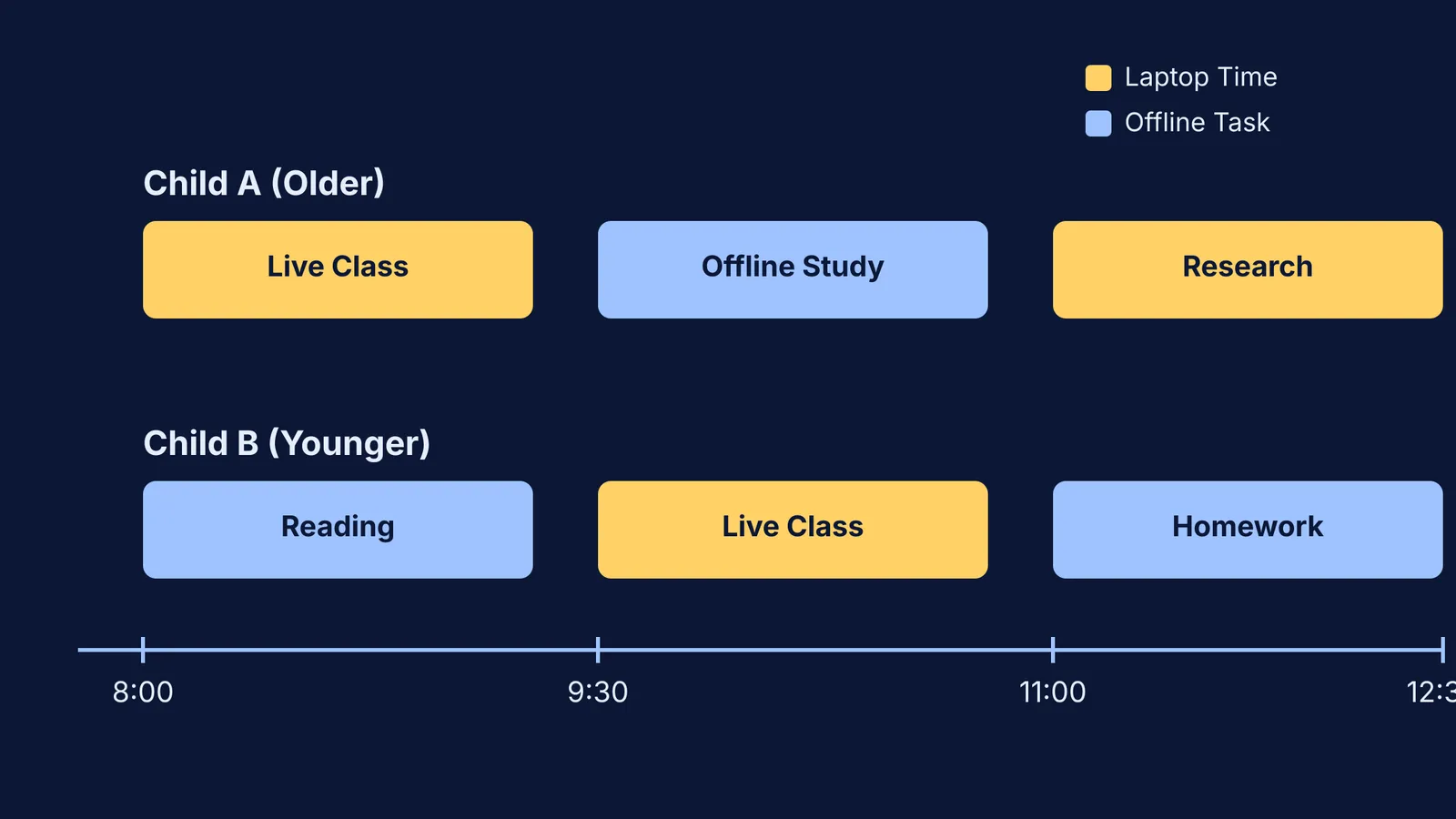
The rotation strategy: Divide the rest of the day into blocks. While your older child uses the laptop for research or a live physics class, the younger one completes offline tasks like reading a textbook, practicing maths on paper, or handwriting notes in their home study space. After an hour, they swap. This ensures neither child is staring at a screen for too long, naturally building in breaks.
The conflict rule: Decide exactly what happens when two fixed events collide. A common rule is that exams always take priority, followed by mandatory live classes, and then the person who booked the slot first. If both have a live class at 10 AM, one will need to join from a smartphone or tablet, or watch the recording later.
The weekend review: Sit down on Sunday evening for ten minutes to review the upcoming week. Knowing who needs the laptop for a major project on Wednesday prevents a meltdown on Wednesday morning.
How do you prevent lost files on a shared computer?
When two students use the same browser, they will eventually close each other's tabs, overwrite a document, or submit homework from the wrong account. This is one of the most frustrating parts of sharing a device, but it is entirely preventable.
Create separate user accounts: The most robust solution is to set up two different user accounts on Windows or macOS. This keeps their desktops, files, and settings entirely isolated.
Set up independent browser profiles: If you cannot make separate system accounts, set up independent profiles in Google Chrome or Microsoft Edge. This keeps passwords, bookmarks, and search histories completely separate. They just click their name when they open the browser.
Use cloud storage: Teach both children to save their work to their own Google Drive or OneDrive folders rather than the laptop's desktop. This means they can still review their notes or type an essay on a smartphone if their sibling urgently needs the laptop.
Establish a physical boundary: If they study in the same room, use noise-cancelling headphones with a microphone. This allows one child to talk in a live class while the other works quietly during a shared family study hour.
What to do when both siblings need help at the same time?
Even with a perfect schedule, there are moments when both children hit a roadblock in their homework at the exact same moment. If you are busy working or making dinner, you cannot help both at once.
In these moments, one child can use the laptop while the other uses a phone to keep moving forward. Fermi's AI tutor helps by teaching rather than just answering. If your older child is stuck on a physics question, the Fermi Problem Library has worked problems with a step-by-step solver that explains the reasoning rather than printing an answer. If your younger child is missing a foundational idea for their science homework, the Concept Library has every concept in physics, chemistry, biology, mathematics and computing, each with its own lesson and its place in the map.
By separating their accounts and scheduling around fixed classes, you can turn a source of daily friction into a routine that works for the whole family, even when siblings are taking board exams at the same time.