On this page
When a child turns 13, the request to download Instagram is almost guaranteed. While the platform's minimum age requirement is 13, handing over an account is no longer a simple 'yes' or 'no'. As of late 2024, Meta has overhauled the experience for younger users by introducing Teen Accounts.
These changes make the platform significantly more restrictive by default. However, technical safeguards do not replace the need for clear family rules. Before you agree, it helps to understand exactly what these new settings do and how to talk to your child about their digital boundaries.
What do Instagram's new Teen Accounts actually do?
In September 2024, Meta announced that all users under 18 would be automatically placed into "Teen Accounts" with built-in protections. Crucially, for users under 16, these settings are locked and require explicit parental permission to loosen.
Private by default: The account is strictly private. Your child must manually approve new followers, and non-followers cannot see or interact with their content.
Messaging restrictions: They can only receive direct messages from people they already follow or are connected to, preventing strangers from reaching out.
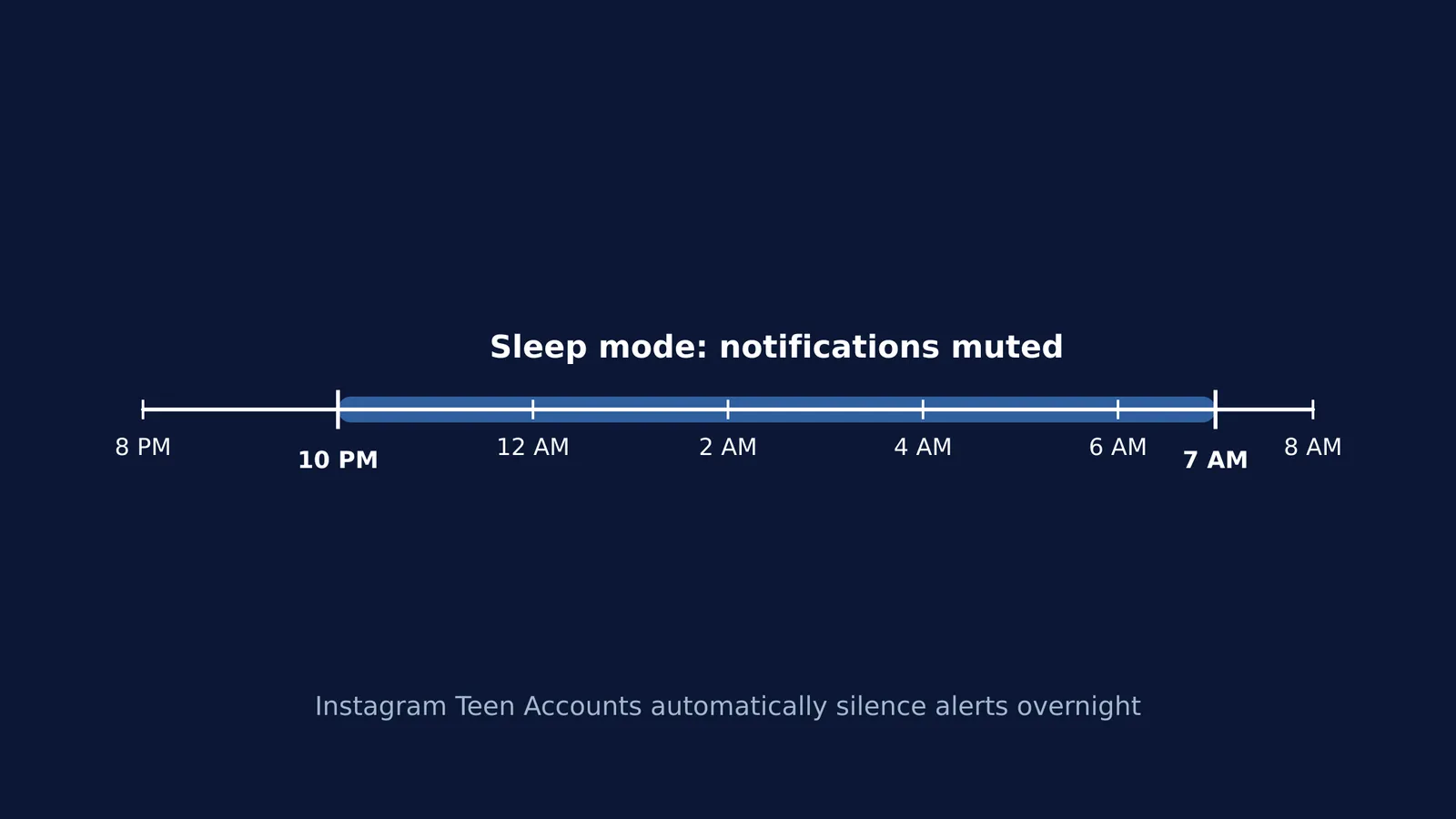
Sleep mode: Between 10 PM and 7 AM, notifications are muted and the app sends auto-replies to direct messages. This removes the pressure to reply instantly at night.
Time limits: The app sends a notification telling the user to leave after 60 minutes of daily use. Parents can also use the supervision tools to set a hard daily limit that blocks the app entirely after a certain amount of time.
Content filtering: The strictest "Sensitive Content Control" is applied, limiting what appears in the Explore page and Reels. The "Hidden Words" feature is also active to filter offensive language out of comments.
These defaults take much of the technical burden off parents, ensuring a safer baseline. But they are not foolproof, and children often find workarounds if they are not part of the conversation.
Conversations to have before saying yes
The reality is that social media is a major part of adolescent life. A 2024 report by the World Health Organization (WHO) found that 36% of adolescents report being in continuous online contact with friends. However, the same report noted that 11% of adolescents display problematic, addiction-like social media use.
To keep your child in the healthy majority, the conversation needs to move beyond just time limits.
Discuss the "why": Ask them what they are looking forward to. Is it to stay in the loop with a specific friend group, to follow a hobby, or simply because "everyone else has it"? Understanding their motivation helps you set the right tone.
Review privacy together: Sit down and review the Teen Account settings with them. Explain that "private" means they actually know the people following them in real life, not just friends of friends. For more on digital safety, read our guide on Privacy in learning apps: what parents should check in India.
Establish screen-free zones: Sleep mode helps, but having a device in the bedroom remains a major distraction. Agree on physical boundaries, such as keeping phones in the living room overnight. You can find more on this in Phones and homework: family rules that research supports.
What if they are not ready at 13?
Just because the app allows 13-year-olds does not mean every 13-year-old is ready. If you decide to wait, explain your reasoning clearly rather than just saying "no." Frame it around their current maturity, sleep habits, and how they handle other responsibilities.
If they are using their phone to study and find themselves easily distracted by social media, a guided environment can help. Fermi's AI tutor can work out what you already know and build a plan for the session, so you sit down to a clear next step instead of endless scrolling.
A script for discussing the 60-minute limit
Instagram's 60-minute reminder is a helpful nudge, but adolescents often dismiss notifications out of habit.
When discussing time limits before they create the account, try this approach to build a shared understanding:
Instead of: "You are only allowed one hour on Instagram, and then I am blocking it." Try saying: "Apps like Instagram are built to keep you scrolling, which is why it now reminds you to log off after 60 minutes. How do you plan to manage your time when that reminder pops up? Let us see if you can stick to it. If it becomes too hard to put it down, we will use the parental controls to set a hard limit together."
Setting up an account together, reviewing the privacy defaults, and keeping an open dialogue ensures that when they inevitably encounter something confusing online, they know they can come to you.