On this page
It is increasingly difficult to separate studying from screen time. Children often spend 5 to 7 hours a day on screens (MedlinePlus). Managing this manually by asking your child to turn off their phone often leads to frustration. Instead, using your home router's pause features and built-in schedules allows you to set automated boundaries.
Why do router schedules work better than device rules?
When you set a time limit directly on a smartphone or tablet, tech-savvy teenagers often find workarounds. They might guess the passcode, delete the tracking app, or simply switch to a different device.
Setting limits at the router level cuts the WiFi connection to the specific device at the source. Once the clock hits the scheduled time, the internet stops flowing to their phone, console, or laptop, regardless of the device settings. This shifts the role of the "bad guy" from the parent to the router, making the boundary feel like a household routine rather than a daily negotiation.
How do you set WiFi time limits for kids?
Almost all modern routers include a parental control or access control feature. Here is a practical framework for setting it up:
Identify the MAC address: Every device has a unique identifier called a MAC address. Check your child's device settings (usually under "Network" or "About Phone") to note down this address. This address consists of six pairs of letters and numbers (like 00:1A:2B:3C:4D:5E). Ensure you look for the 'Wi-Fi MAC Address' rather than the Bluetooth address.
Log into your router: Type your router's IP address (often `192.168.1.1` or `10.0.0.1`) into a browser and log in with the administrator password.
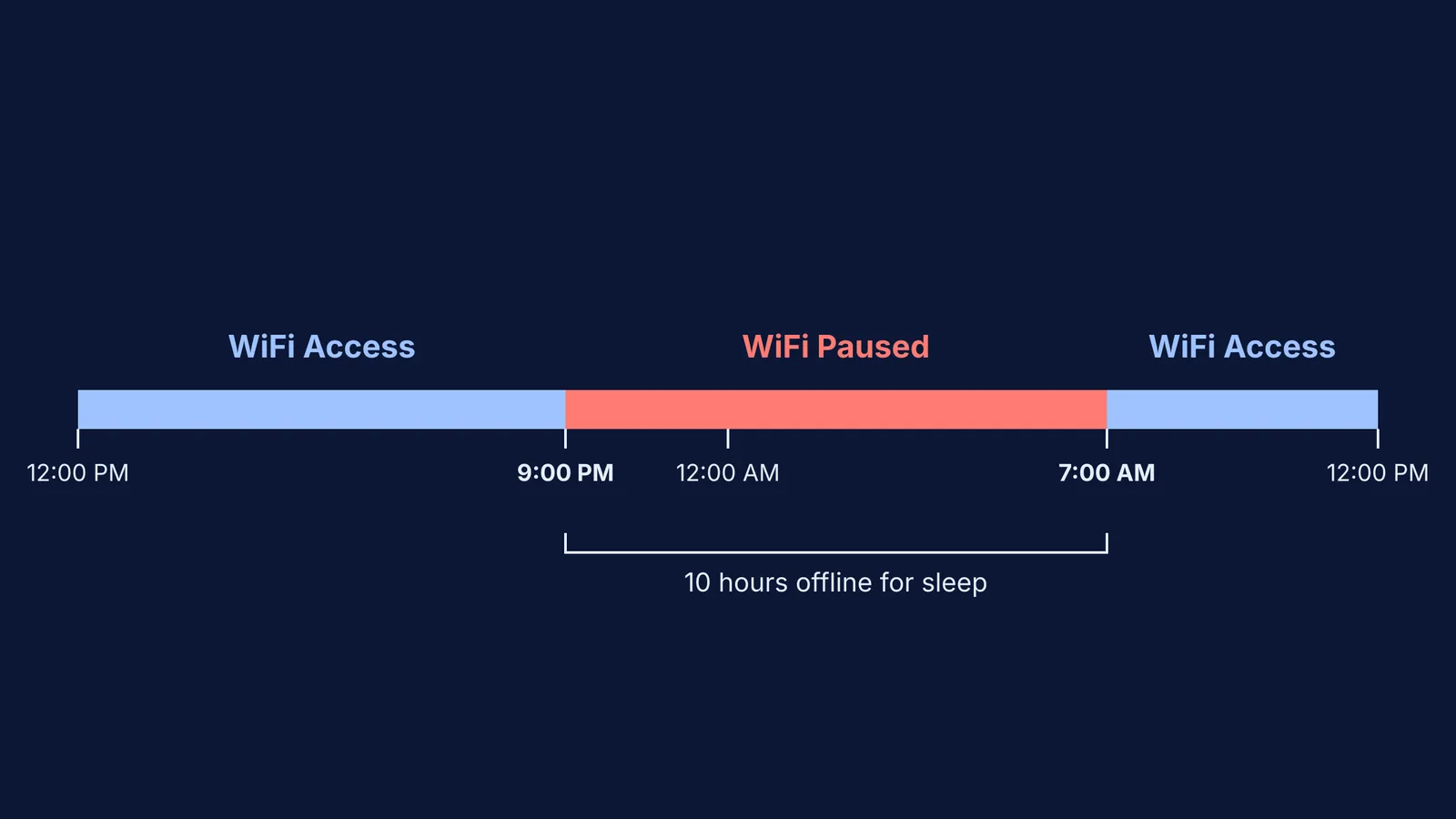
Create the schedule: Navigate to the Access Control or Parental Controls tab. Enter the MAC address and set the exact hours you want the WiFi blocked. For example, you can block access from 9:00 PM to 7:00 AM on school nights.
Test the connection: Once the schedule is active, verify that the device can no longer load new web pages during the blocked hours. It is best to test this before the first night to ensure you have the correct device.
Does screen time really affect sleep?
The American Academy of Pediatrics recommends stopping all screen use at least one hour before bedtime to protect sleep. The blue light from screens suppresses melatonin, delaying the natural sleep-wake cycle (Sleep Foundation).
A 2024 study on sleep and screen habits found that children with low screen time (under one hour before bed) achieved 90% sleep efficiency, while those with high screen time (over three hours) dropped to 75% sleep efficiency (PubMed). Poor sleep directly affects attention, memory, and the next day's academic performance.
Protecting focused study time
During exam preparation, constant notifications and the temptation to browse break concentration. Pausing the WiFi specifically during homework hours can help. When children know that the internet will turn off at a specific time, it also encourages them to complete their tasks more efficiently instead of stretching a 30-minute assignment into a two-hour ordeal.
However, many assignments today require online research. When offline study is not possible and your child needs the internet to figure out a tough concept, Fermi's AI tutor can work out what they already know and build a plan for the session, so they sit down to a clear next step instead of falling into the trap of endless browsing.
To build a consistent routine around these limits, you might want to consider setting up a good study space at home. Many families also find success by setting up a family quiet hour, a scheduled block of time where everyone in the house reads or works without screens, reinforcing the router's limits through shared habits.