On this page
Your child wants a gaming console. It is a familiar request in many homes today. In fact, 85% of U.S. teens play video games, and 41% play at least once a day, according to a 2024 Pew Research Center report. But before you head to the shop, you have two big decisions to make: which device to buy, and what the ground rules will be.
Deciding between a console and a gaming PC often comes down to your child's age and how you want the device to be used. Here are the questions to ask before buying, and the rules to agree on first.
Should I buy a console or a gaming PC?
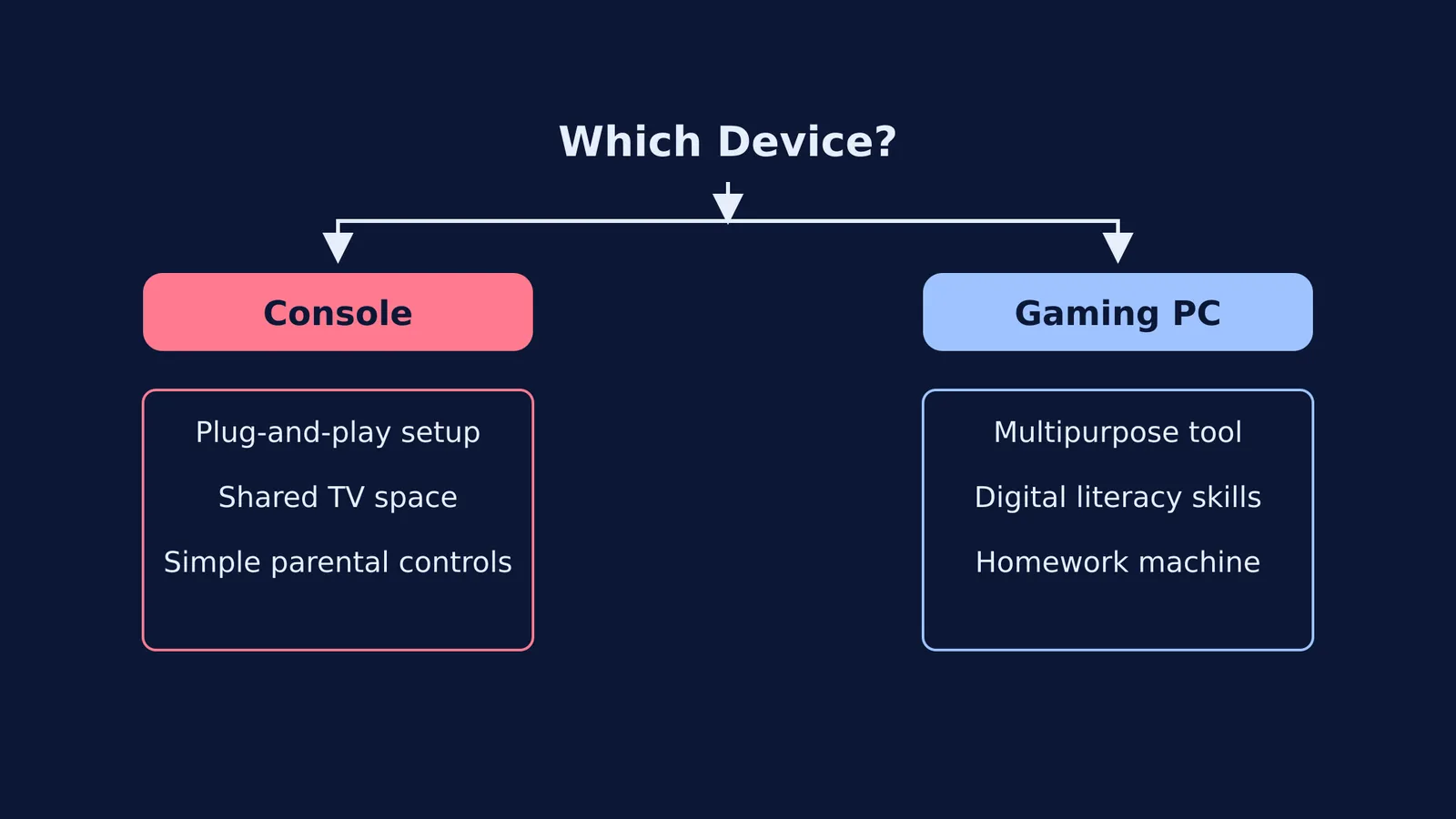
The choice between a console (like an Xbox, PlayStation or Nintendo Switch) and a gaming PC depends on your budget and your child's needs.
A console is built entirely for entertainment. It is plug-and-play, requires almost no technical setup, and is easy to connect to a television in a shared family room. Consoles act as a "walled garden", meaning parental controls are robust and simple to manage through a single mobile app. For children under 10, a console is usually the safer and simpler choice.
A gaming PC, on the other hand, is a multipurpose tool. While the upfront cost is higher, a PC grows with your child. It teaches real digital literacy, from typing and file management to troubleshooting. For older children and teenagers, a PC doubles as a homework machine and a platform for learning new skills, such as choosing Computer Science in Class 11 or studying the CBSE Artificial Intelligence subject.
What rules should we agree on before buying?
Hardware is only half the decision. The more important step is establishing the rules of play before the device enters the house. If you hand over the console first and try to set limits later, you will face much more resistance.
Health bodies advise clear limits on screens. The World Health Organization recommends that sedentary screen time for children aged 3 to 4 should be no more than 1 hour a day. For older children and teenagers, rules should focus on balance rather than a strict minute count.
Start with a "responsibilities first" policy. Gaming should only happen after homework, chores, and physical activity are complete. It helps to keep the device in a shared space, such as the living room, rather than a bedroom, so you can easily monitor what they are playing and who they are talking to.
When it is time for homework, the PC or console should be off. If your teenager uses a PC for both study and play, it is easy for them to get distracted when they run into a difficult school assignment. When they are stuck on a physics or maths topic, Fermi's AI tutor can work out what they already know and build a plan for the session, so they sit down to a clear next step instead of staring at a blank page.
How do we handle game time ending?
One of the most common sources of conflict is asking a child to turn the game off. Many modern multiplayer games cannot be paused. If you tell them to stop immediately in the middle of a match with their friends, they may feel frustrated or let their team down.
What should be on our pre-purchase checklist?
Sit down with your child and agree on a clear plan. Use this checklist to guide the conversation:
Where will it live? Agree that the device stays in the family room, not the bedroom.
What are the conditions for playing? Confirm that schoolwork and chores must be finished first.
Who pays for extras? Decide whether pocket money goes towards new games or monthly online subscriptions.
What are their friends playing on? Many games allow cross-play between consoles and PCs, but some do not. If playing with friends is their main goal, check what devices their friends own.
By having this conversation early, you turn the purchase into an agreement. You give them the device they want, and they agree to the healthy boundaries you expect.