On this page
When a student applies for a university place or a first job, they are usually reduced to a single page of grades and a brief list of extracurricular activities. A standard application rarely captures how a person thinks or what they are capable of building. A personal website, or e-portfolio, changes this by providing a space they control entirely.
The 2021 Association of American Colleges and Universities (AAC&U) survey found that nearly 9 in 10 employers are more likely to consider a candidate who provides an e-portfolio. Beyond hiring, building a site forces a student to reflect on their own work. Deciding which projects to display builds metacognitive awareness, helping a student spot the gaps in their own skills and figure out what to learn next.
Should a student make a personal website?
Yes, a student should build a personal website if they want to stand out from thousands of identical applications. While an admissions officer or recruiter might only spend a few minutes looking at a standard CV, a well-organised website offers a richer, multimodal view of a candidate.
A website acts as a verified record of achievements. If a student claims they know how to code in Python or write persuasive essays, a website allows them to link directly to the code repository or publish the essay for the world to see. It transforms abstract claims into tangible proof of work.
What should a student put on a personal website?
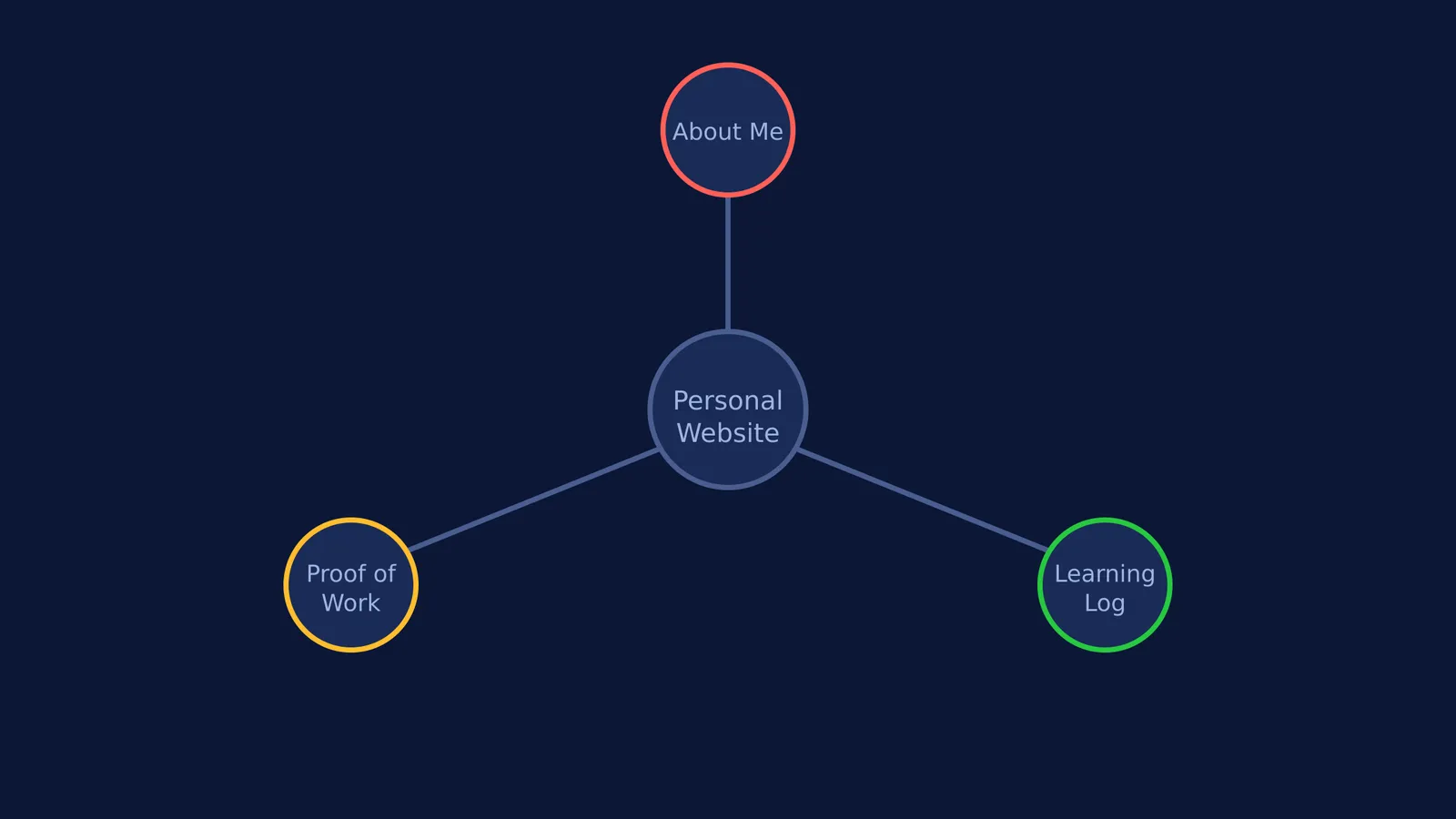
A student website does not need to be a complex web application. It should be a clear, simple collection of evidence that backs up their academic and personal interests.
The 'About Me' page: This should be a short, honest summary of who the student is and what they are aiming for. For example, a student might use this script: *"I am a Class 11 student in Mumbai with a strong interest in physics and data science. This site is a collection of my lab reports, coding projects, and notes on what I am learning."*
Proof of work: Instead of simply listing subjects, students should show what they did. This could include a digital copy of an award-winning history essay, photographs of a science fair apparatus, or a link to a robotics project.
A learning log: A simple blog where the student writes about problems they are trying to solve. Documenting failures and how they were overcome shows resilience.
If a student is documenting a science or maths project, they need to ensure they truly understand the concepts they are writing about. When tackling difficult STEM subjects, the Fermi Problem Library has worked problems with a step-by-step solver that explains the reasoning rather than printing an answer.
Where can students host a website for free?
Students do not need to pay for domain names or hire web developers to get started. Several free platforms allow anyone to build a professional-looking site in an afternoon.
GitHub Pages: Ideal for computer science students. It hosts static websites directly from a GitHub repository for free, and learning to use it teaches valuable version-control skills.
Google Sites: A drag-and-drop builder connected to Google Drive. It is perfect for younger students who want to quickly assemble a portfolio of their school documents and presentations.
Carrd.co: A free tool for building responsive, one-page websites. It is excellent for creating a digital business card that links out to a student's various projects or social profiles.
Notion: Many students already use Notion for taking notes and organising their time. A Notion page can be published to the web with one click, instantly turning a private study dashboard into a public portfolio.
What about privacy and keeping it updated?
Privacy is a critical concern, especially for students under 18. A personal website should never include a home address, personal phone number, or detailed daily schedules. A student should use a dedicated, professional email address for the site (e.g., firstname.lastname.contact@email.com) and only share general locations (such as "Delhi, India").
Keeping the site updated is just as important as building it. A website that has not been touched in three years can look abandoned and reflect poorly on the student. Students should treat their website as a living document, setting aside one hour at the end of every term to add their latest projects and remove older, less relevant work.
Integrating the website into normal study routines helps it grow naturally. For example, using an AI tutor in the week before an exam might lead to a breakthrough in understanding; the student can then write a short post on their website explaining how they finally grasped the concept. Parents can also support this habit; if you are trying an AI tutor with your child, you can encourage them to document their progress and new skills online.