On this page
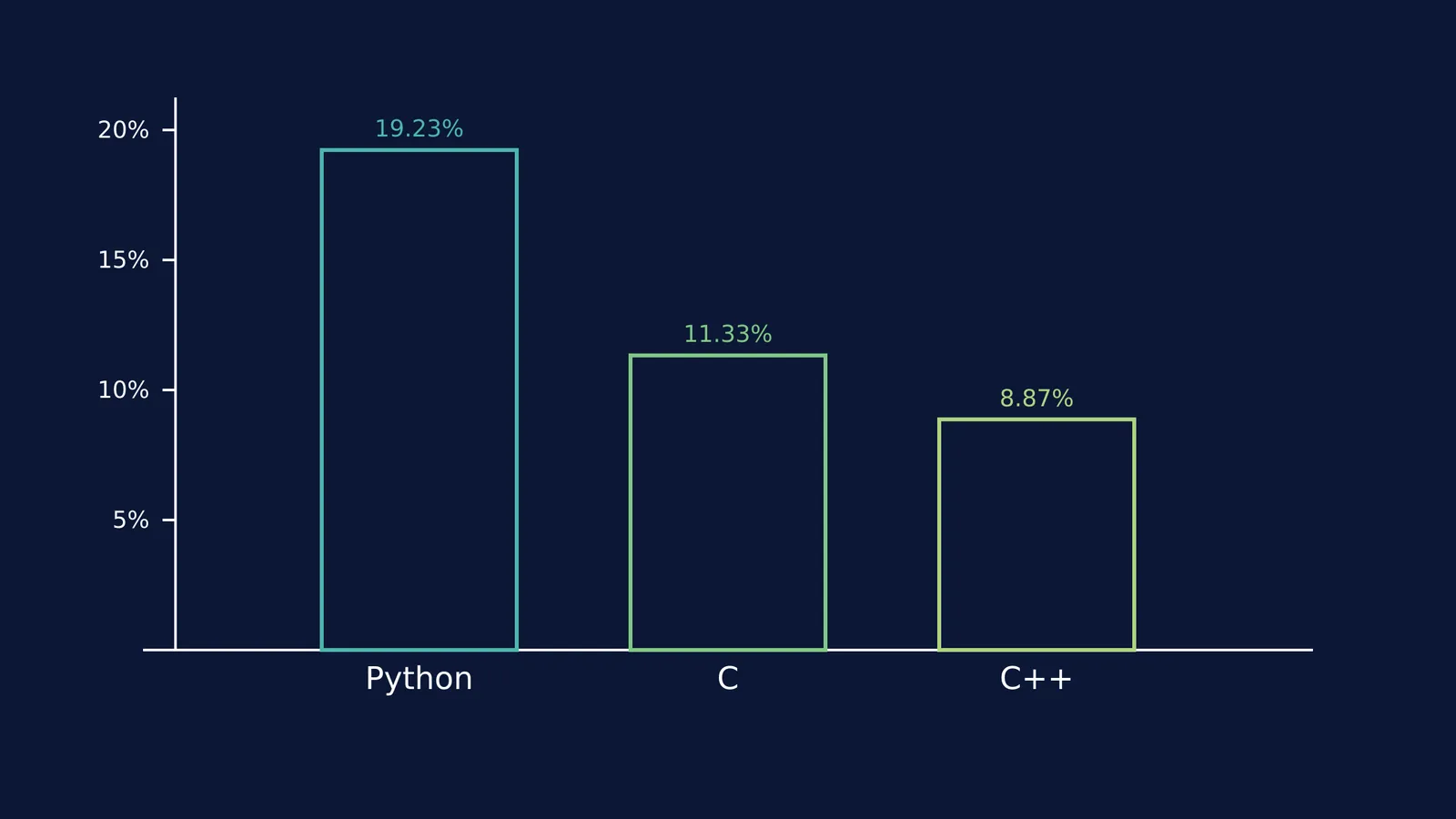
Learning to code by reading textbooks is like learning to swim by watching a video. You have to jump in. High-level languages have evolved massively over the decades; where early tools like Fortran let scientists write formulas instead of hardware commands, Python takes that readability even further. Python is the most popular programming language globally, holding the #1 spot on the TIOBE Index with a 19.23% rating in October 2026 (TIOBE Index). Its clean, readable syntax makes it an ideal first language, but the real learning happens when you stop copying tutorials and start building your own tools.
Building a simple project shifts your brain from memorising commands to solving real problems. It gives you a concrete reason to figure out how loops, lists, and variables fit together, moving you past the beginner's plateau.
Why does project-based learning work for programming?
Research shows that hands-on building is far more effective for computational thinking than traditional lectures. A 2020 meta-analysis in *Computers in Human Behavior* (DOI: 10.1016/j.chb.2020.106349) evaluated various instructional methods and found that active, project-oriented approaches significantly improve how students learn computer programming. Instead of learning a concept in isolation and forgetting it a week later, you learn what a `while` loop is because your game needs one to keep running.
When you hit a wall in your code—like not understanding how a `for` loop interacts with a list—you need to fix that specific gap before moving on. If you are missing a piece of the puzzle, the Concept Library contains every concept in physics, chemistry, biology, mathematics and computing, each with its own lesson and its place in the map.
What are good first Python project ideas for school students?
For your first attempt, stick to Command Line Interface (CLI) applications. These are text-based programs that run directly in the terminal, meaning you do not have to worry about drawing buttons, managing windows, or handling graphical layouts.
Here are four projects that introduce the core concepts of Python, ranked from easiest to most complex:
Simple Calculator: Ask the user for two numbers and an operator (+, -, *, /), then print the result. What you learn: Input and output functions, arithmetic operations, and `if/elif/else` conditional statements.
Number Guessing Game: The computer picks a random number between 1 and 100, and the user tries to guess it. The program replies with "Too high" or "Too low" until they get it right. What you learn: Importing the `random` module, using `while` loops to keep the game running, and comparison operators.
Quiz App: Ask the user five multiple-choice questions and keep track of their score, printing a final percentage at the end. What you learn: Dictionaries to store the questions and their correct answers, and keeping track of a changing score variable throughout the program.
To-Do List: Let the user type in tasks to add to a list, print the current list, or delete tasks they have finished. What you learn: List manipulation (adding, removing, and sorting items) and structuring your code into basic functions.
What is a good checklist to finish your first Python project?
The hardest part of a first project is actually finishing it. Many students start building something too complicated, get stuck on a bug, and abandon the code entirely. Use this step-by-step framework to keep yourself on track:
Write the logic in plain English: Before typing any Python, write down what the program should do step by step. If you do not know where to start on a blank page, Fermi's AI tutor can work out what you already know and build a plan for the session.
Build the core feature first: If you are making a calculator, just get it to add two numbers first. Ignore subtraction, multiplication, and division until the addition works perfectly.
Handle the errors: What happens if your calculator asks for a number and the user types "hello"? Your program will crash. Add simple `try/except` checks to ensure the input is valid before the program tries to do maths with it.
Comment your code: Add short notes starting with `#` to explain what a block of code does. When you return to the project a month later, you will thank yourself for the context.
How do you share your Python project?
Once your code is working, you will want to show it to someone. If you just email a `.py` file to a friend, they will need Python installed on their own computer to run it, which is often a technical hurdle.
The easiest way to share a beginner project is to use a free online development environment like Replit or GitHub Codespaces. You can paste your code into the browser, run it, and generate a public link. Anyone with the link can play your guessing game or use your calculator directly in their web browser, on a phone or a laptop, without installing anything.
As your skills grow, you might even start thinking about how efficiently your programs run—the kind of problem Donald Knuth explored in the analysis of algorithms. But for now, simply getting your first project working and shared is the goal.