

On this page
When a child asks to use your phone for homework, it is often a recipe for a lost evening. They might start by searching for a biology term or a maths formula, but ten minutes later, they are watching gaming videos or texting friends. The smartphone, built to capture attention, is the hardest possible environment for focused study.
However, locking the phone away is not always practical when they genuinely need to look something up. If you must lend your device, setting it up correctly and building a clear routine can keep distractions at bay.
Why do they get distracted so easily?
A parent's smartphone is a minefield of notifications and easy dopamine. Even if your child has good intentions, the device itself fights against their focus.
According to research published in the *Journal of the Association for Consumer Research*, the mere presence of a smartphone reduces a person's available cognitive capacity, an effect the researchers call "brain drain" (Ward et al., 2017). The brain uses its limited energy just to suppress the urge to check the phone, leaving less mental bandwidth for complex homework.
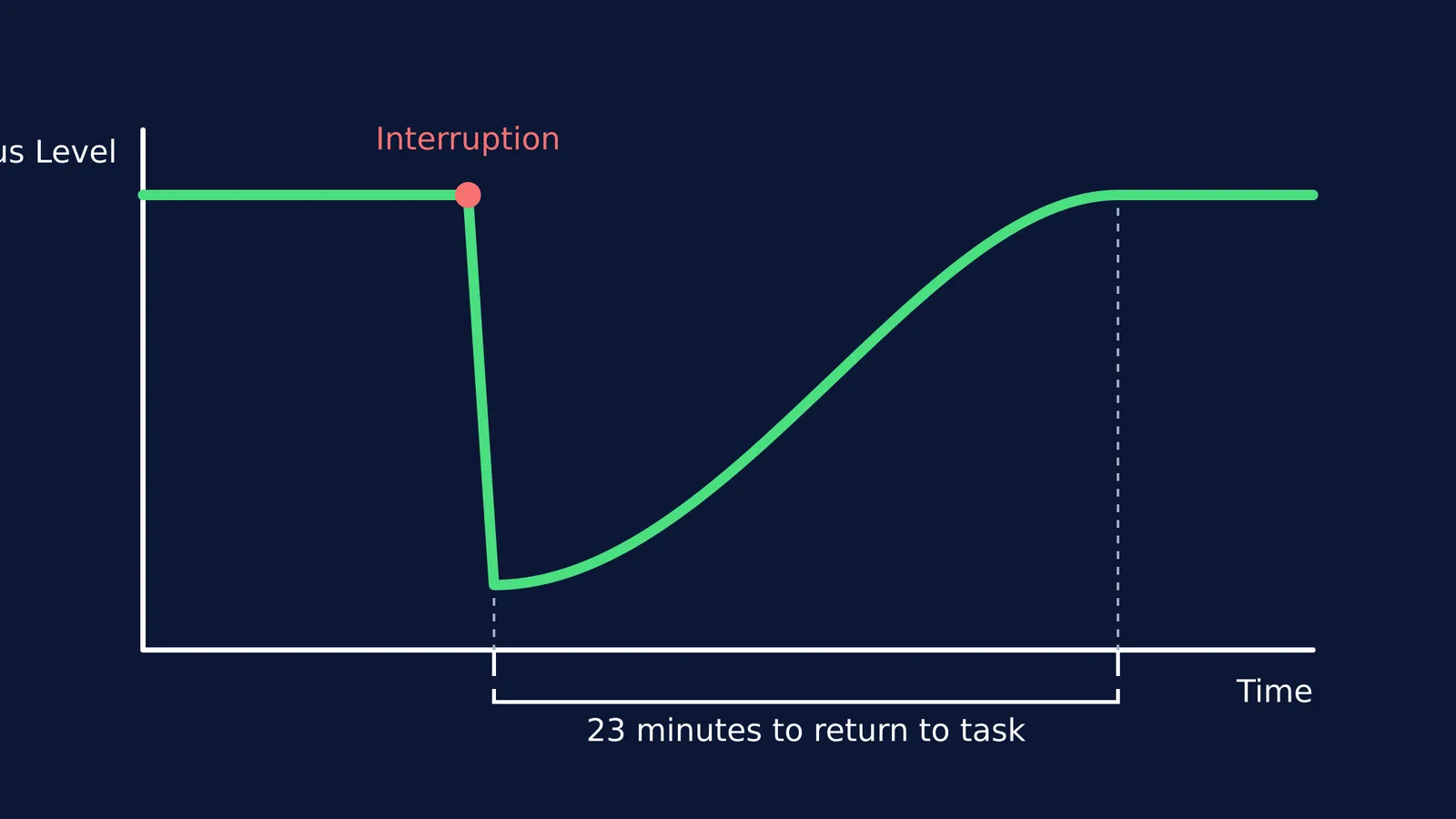
When a notification from your WhatsApp or email arrives, it creates a forceful interruption. A study on the cost of interrupted work presented at *CHI* noted that it can take an average of about 23 minutes to return to a task after an interruption, and found that while people try to compensate by working faster, they experience significantly higher stress and mental effort (Mark et al., 2008). Every ping makes their homework feel harder.
Parents also struggle with this pull. A survey by the Pew Research Center found that 68% of U.S. parents admit they are at least sometimes distracted by their own smartphones when spending time with their children. If adults find it hard to resist, teenagers face a much steeper climb.
How can I make my phone homework-safe?
If your child needs your phone to study, you must strip away the triggers before handing it over. You do not need to delete your apps; you just need to hide them temporarily.
Set up a custom Focus mode (iOS): Go to Settings and create a custom Focus mode called "Homework". Set it to allow notifications from absolutely no one, and allow only essential apps like the calculator, calendar, and a browser. You can even choose a specific home screen that hides your social media folders entirely.
Use Digital Wellbeing (Android): Open Settings and set up "Focus mode". Select all the distracting apps (YouTube, Instagram, games, WhatsApp) and pause them. When Focus mode is on, these apps turn grey and cannot be opened, and their notifications are blocked.
Turn off the ringer: Even with a Focus mode on, make sure the physical switch is on silent so sudden alerts do not break their train of thought.
What is the return routine?
The biggest mistake is handing the phone over with an open-ended "let me know when you are done". A phone should be a borrowed tool for a specific task, not a study companion.
Before giving them the device, ask what exactly they need to look up. "I need to check the mechanism for Fischer esterification" is a specific task; "I need to study chemistry" is not.
Set a physical timer (or the timer on the phone itself) for 15 or 20 minutes. Tell them that when the timer rings, the phone comes back to you. This creates a sense of urgency. They know they have a limited window to find the information and write it down in their notes.
What if they are just stuck on a problem?
Sometimes a child opens YouTube because they are genuinely stuck and looking for an explanation. But video platforms are designed to keep them clicking, leading them away from the homework.
When they are confused, they need active learning rather than passive watching. If they do not know how to start, Fermi's AI tutor can work out what you already know and build a plan for the session, so you sit down to a clear next step.
For specific homework questions, simply reading the final answer does not help them learn the method. The Fermi Problem Library has worked problems with a step-by-step solver that explains the reasoning rather than printing an answer.
By creating a strict boundary around how and when your phone is used, you can help them find what they need without losing the whole evening to the screen.
Read more:


