On this page
The UK communications regulator Ofcom found in its 2024 report that 88% of children aged 3–17 play video games. With so many games and apps available across phones, tablets, and consoles, it is completely normal to wonder if a specific title is appropriate for your family. Modern gaming is a vast landscape, ranging from simple educational puzzles to complex multiplayer worlds that simulate real-life interactions. Navigating this can feel overwhelming, especially when your child is asking to download the latest popular release that all their friends are playing. While every game box or digital app store page has an age rating, finding out what is really inside the game takes a few extra steps.
How to check if a game is right age for child?
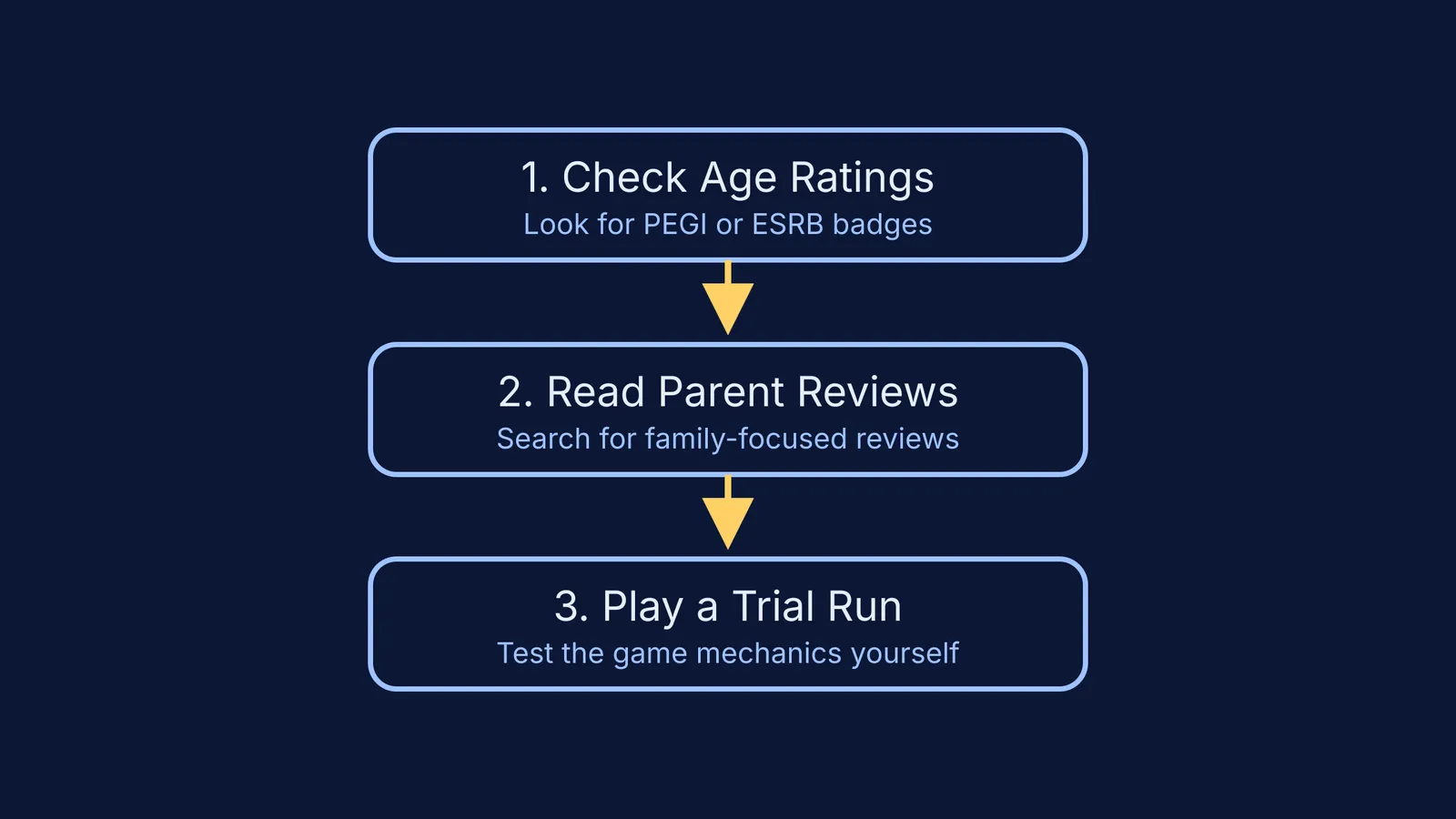
The quickest way to check a game's suitability is by looking at its official age rating. In Europe, this is handled by the PEGI system, while North America uses the ESRB. These independent boards review games before they are released to ensure they are labelled correctly.
According to an ESRB survey, 74% of parents report using ESRB ratings regularly when buying games for their families (Awareness and Use Survey). These ratings give you a baseline age recommendation, such as 7, 12, or Mature 17+.
However, the real value lies in the content descriptors. These are small text badges on the back of the box or next to the download button that explain *why* the game received its rating. They list elements like "mild violence", "in-game purchases", "simulated gambling", or "bad language". Reading these descriptors gives you a much clearer picture of what your child will encounter than the age number alone. For instance, a game rated for teenagers might earn that label solely because of complex themes rather than any graphic content.
How do I check game reviews for parents?
An age rating tells you about restricted content, but it does not tell you if the game is too scary, too complicated, or heavily focused on chatting with strangers online.
This is where parent reviews come in. Searching for the game's title alongside "parent review" will often bring up articles and videos created by other families. Websites dedicated to family media safety provide detailed breakdowns of themes, difficulty levels, and the types of positive messages the game might promote. Reading these reviews helps you spot issues that official raters might not flag.
Look out for comments about the game's community. A game might feature colourful, cartoon graphics that look perfect for an eight-year-old, but if it relies on unmoderated voice chat with older players, the experience changes completely. Other parents are usually the first to warn about toxic online environments, hidden subscription costs, or features that encourage addictive playing habits.
Why should you play a trial run?
The single best way to know if a game suits your child is to try it yourself.
Many games offer a free demo on their store page. If a demo is not available, you can watch a "Let's Play" video on YouTube or simply sit with your child while they play the first few levels. Experiencing the game firsthand removes the guesswork.
This helps you see the mechanics in action and understand the pace of the game. You can see whether it is a fast-paced shooter that requires quick reflexes, a creative building game that fosters imagination, or a thoughtful puzzle that requires deep concentration. Playing the game together also opens up a conversation, showing your child that you are interested in their hobbies and making it easier to discuss any concerns you might have.
Balancing games with active learning
If your child is spending a significant amount of time on a screen, you might want to introduce them to tools that encourage active thinking alongside their entertainment.
For example, if they are reviewing for school and struggling with naming carbon compounds in Class 10 or tackling quadratic word problems, Fermi's AI tutor can help them move forward. The tutor teaches rather than answers: it holds a line of reasoning across a session, notices where a student is stuck, and decides whether to explain, ask or show.
By working out what the student knows and building a plan for the session, Fermi ensures they sit down to a clear next step instead of a blank page. Combining recreational gaming with engaging educational tools can help turn screen time into a more balanced experience, allowing your child to enjoy their digital worlds while still making steady academic progress.