

On this page
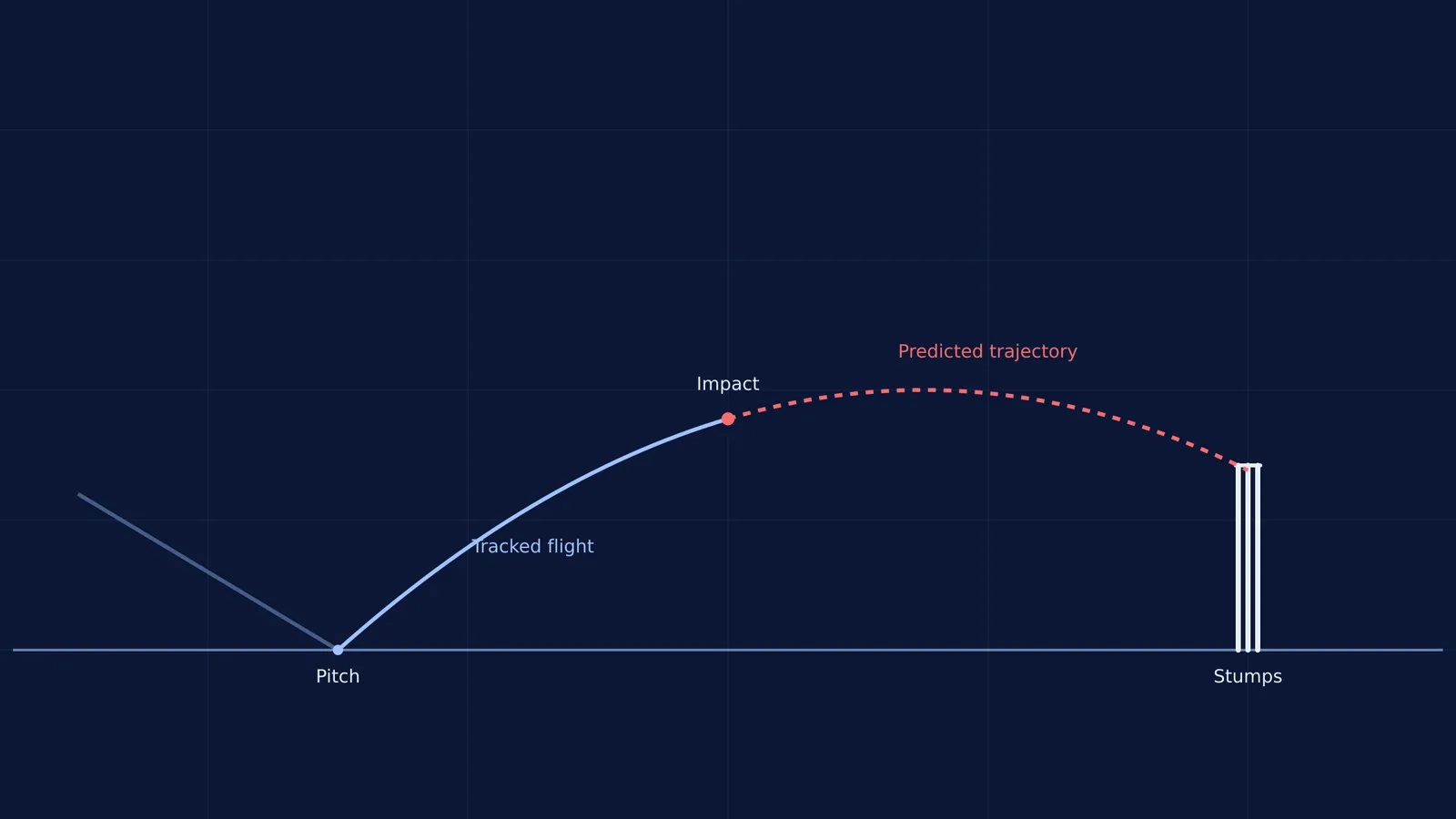
When a batter is struck on the pads and the fielding team reviews the umpire's decision, the broadcast cuts to a digital reconstruction of the cricket pitch. A blue streak shows the ball's path, bouncing and turning, before a red cylinder projects where it would have gone.
This is Hawk-Eye, the ball tracking system at the heart of cricket's Decision Review System (DRS). It looks like broadcast magic, but underneath the graphics, it relies entirely on high-school coordinate geometry and projectile physics.
How does ball tracking find the ball?
The system cannot measure the ball's 3D position from just one camera. A single camera flattens the world into two dimensions, which means a ball hit straight up in the air looks the same as a ball moving away from the lens.
To build a 3D picture, Hawk-Eye uses up to ten high-performance cameras placed strategically around the stadium roof. These specialised cameras capture the high-speed action at very high frame rates, freezing the rapidly moving ball mid-air.
In every frame, the software finds the cluster of pixels that make up the cricket ball. Because the exact position of each camera is known, the system draws an imaginary line from each lens through the ball's pixel location on the sensor. Where these lines cross in the middle of the pitch is the ball's exact (x, y, z) position. This mathematical method is called triangulation. By repeating this process frame by frame, Hawk-Eye builds a continuous string of coordinates plotting the ball's real flight across the field.
How does the software predict the trajectory?
If the ball hits the bat or the stumps, the system only needs to join the dots. But for a Leg Before Wicket (LBW) decision, DRS must answer a harder question: where would the ball have gone if the batter's leg had not been there?
As soon as the ball strikes the pad, the cameras can no longer track its free flight. The software stops measuring and starts predicting. It takes the (x, y, z) coordinates from the moment of release, through the bounce, to the moment of impact. It calculates the ball's velocity and acceleration vectors, the angle of deviation off the pitch, and the rate it is slowing down due to friction.
The system then feeds these numbers into the equations of physics. A real cricket ball does not follow a perfect parabola—air resistance continuously drags it back, and spin curves its flight through the air—so the software fits a detailed physical model that accounts for these aerodynamic forces, extending the curve smoothly past the batter's leg all the way to the stumps.
How can you see the physics for yourself?
When you study the equation of trajectory of a projectile in your physics class, it can be hard to visualise how changing the initial velocity or the launch angle stretches the resulting parabola. Reading about variables like u cos θ is not the same as watching the physical curve change shape in real time.
This is where interactive physics tools help. The Fermi Simulation Lab offers interactive simulations for the ideas that are easier to see than to read. Learning projectile motion with an interactive simulation lets you watch how the numbers on the page directly control the flight of an object, just like the DRS software calculates the complicated flight of a cricket ball.
What is the DRS LBW checklist?
When you watch a review, notice how the umpire uses the tracking data. The DRS software evaluates a three-step checklist based on the 3D coordinates:
Pitching: Did the ball bounce outside the line of leg stump? (If yes, it is not out).
Impact: Was the (x, y, z) point where the ball struck the pad in line with the stumps?
Wickets: Does the projected physical trajectory intersect the 3D volume of the stumps?
Only when the physics model confirms all three criteria does the red light flash.


