

On this page
How to start coding in class 6 with Scratch?
Class 6 (around ages 11 and 12) is a transitional year for students. Children are moving from concrete arithmetic to abstract reasoning, making it an ideal time to introduce programming logic. According to official statistics from the Scratch Foundation, Scratch now has over 135 million registered users, and the most common age for new users joining the platform is 12.
Scratch removes the traditional barriers of typing and syntax. Instead of memorising where to put a semicolon or matching brackets, students snap colourful command blocks together. This drag-and-drop interface lets them focus entirely on the underlying logic of their program. They can build interactive stories, animations, and games without the frustration of syntax errors that often discourage beginners in text-based languages.
Why start with block-based programming?
Research confirms that dragging blocks builds the exact same computational thinking skills as typing code. Computational thinking involves breaking down a large problem into smaller steps, identifying patterns, and designing a sequence of instructions to solve it.
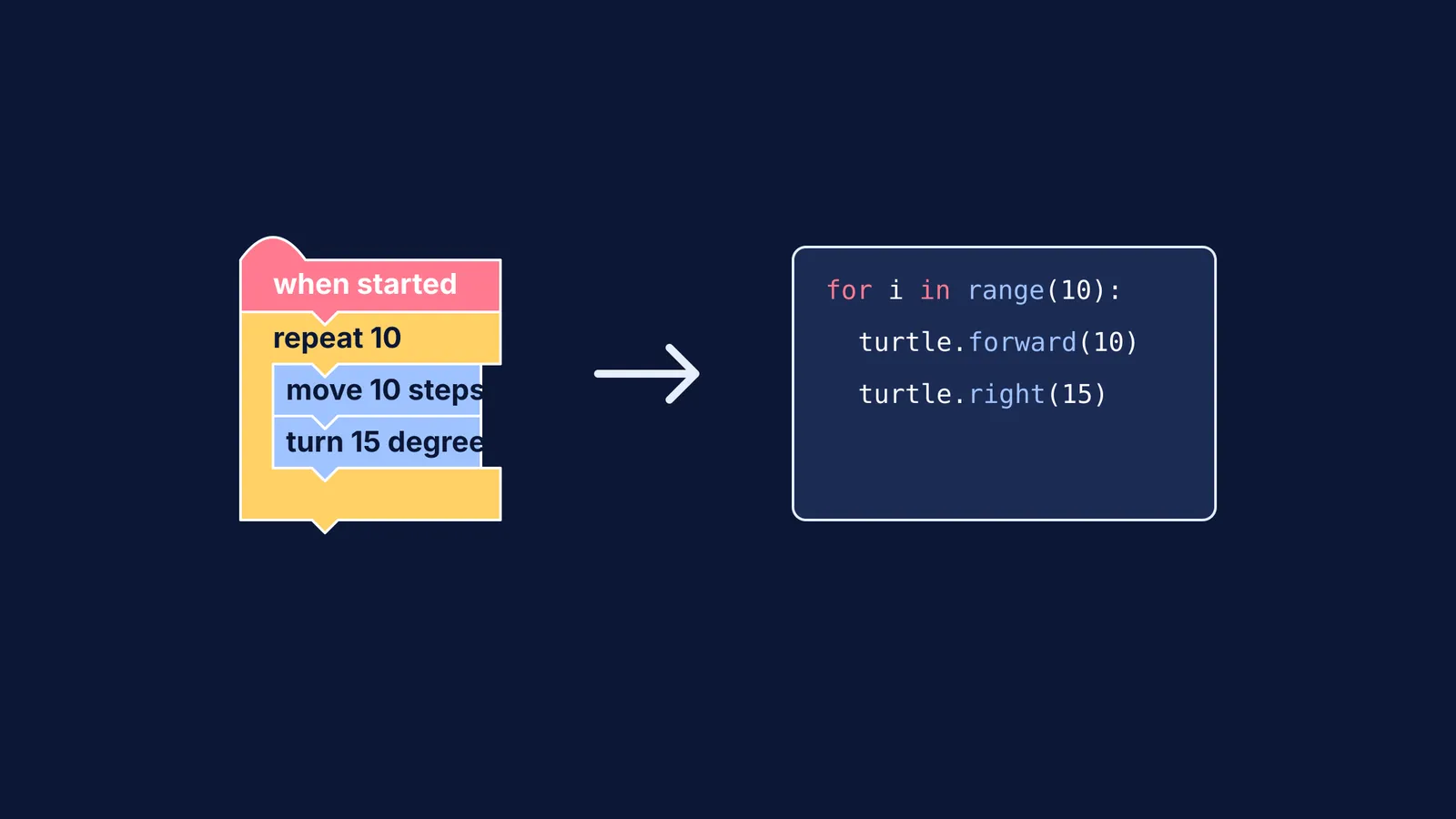
A 2015 study of 6th-grade students (ages 11–12) by Luis Alberto Calao and colleagues found that students who received Scratch training showed statistically significant improvements in mathematical reasoning, modelling, and problem-solving compared to a control group (Springer). The visual nature of the blocks helps children see the structure of an algorithm. For example, a "repeat" block literally wraps around the blocks inside it, making the concept of a loop visually obvious and intuitive.
If a student struggles to visualise these logical structures or the maths behind them, the Fermi Concept Library contains every concept in physics, chemistry, biology, mathematics and computing, each with its own lesson and its place in the map.
When to transition to text-based coding?
Parents and teachers often wonder when a child should move from Scratch to a text-based language like Python or Java. The answer depends on the student's readiness, but the time spent building a block-based foundation is highly valuable.
A study published in the ACM Transactions on Computing Education investigated middle schoolers who later transitioned to text-based programming in high school (ACM). It found that students who had previously learned Scratch transitioned with fewer learning difficulties, required less time to learn new programming topics, and achieved higher cognitive levels of understanding for those new concepts compared to peers without Scratch experience.
Signs that a class 6 student is ready to transition to text include:
They are frustrated by the physical limits of clicking and dragging blocks for large projects.
They deeply understand core concepts like variables, loops, and conditional (if-then) statements.
They can explain what their code does in plain English before they build it.
When they do hit a wall in more complex text-based logic, Fermi's AI tutor can help. Most learning tools answer questions, but Fermi teaches—it holds a line of reasoning across a whole session, notices where a student is stuck, and decides whether to explain, ask, or show.
A 3-Week "Start Coding" Plan
To bridge the gap between playing games and making them, try this simple three-week framework to get a class 6 student started:
Week 1: Remixing existing work. Do not start with a blank screen. Have the student find a Scratch project they like, click the "Remix" button, and change exactly one thing. They could make a character jump higher, change a colour, or speed up an animation. This teaches them to read and understand existing logic before writing their own.
Week 2: The single-action project. Challenge them to build a project that does exactly one thing when the green flag is clicked. This could be drawing a simple geometric square using the pen tool or making a sprite glide from one side of the screen to the other.
Week 3: Adding a condition. Introduce interaction. Ask the student to add an "if-then" block so the program responds to the user. For instance, if the spacebar is pressed, then the sprite plays a sound.
By following this steady progression, students move from passive consumers of technology to active creators. They learn that coding is not about memorising syntax, but about giving clear, logical instructions to a computer to achieve a specific goal.
Learning to code is ultimately about learning to think clearly and systematically. For more on the historical mathematics of clear thinking, read our look at George Boole and the Laws of Thought of 1854. To explore how the efficiency of these algorithms is measured, see our guide on Donald Knuth and the analysis of algorithms, with a worked example.


