On this page
For decades, learning to program as an engineering student meant learning one tool: MATLAB. Today, that landscape is shifting rapidly.
Whether you are plotting a stress-strain curve for a materials lab or building a predictive model for a robotics project, you now face a choice between the traditional industry standard and a widely used open-source language.
Why are engineering courses shifting to Python?
The transition toward Python in university engineering departments is driven largely by two factors: cost and industry demand.
Python is a free, open-source language. A major hidden cost of proprietary software is that student access typically ends after graduation. Because Python is free, you can use the exact same tools and code in your university labs, at a startup, or in a personal project without paying for expensive commercial licenses. This broadens access to computational tools, allowing young engineers to build a permanent portfolio of code that they can take anywhere.
This accessibility is reflected in global hiring trends. In the 2024 Stack Overflow Developer Survey, 51% of developers reported using Python, compared to just 4% for MATLAB. Python has become the leading language for machine learning, data science, and general-purpose software automation. Its large ecosystem of libraries—such as NumPy for numerical operations, Pandas for data manipulation, and PyTorch for deep learning—means that a single language can handle almost any engineering task, from collecting sensor data to deploying a web dashboard.
Where is MATLAB still the industry standard?
Despite Python's rapid growth, MATLAB remains deeply embedded in specialized engineering fields and legacy corporate systems.
If you are majoring in mechanical, aerospace, or electrical engineering, you will likely encounter MATLAB's companion software, Simulink. Simulink is a visual programming environment for model-based design and multi-domain simulation. It allows engineers to draw block diagrams of dynamic systems, simulate their behavior over time, and even automatically generate C code for embedded microcontrollers. There is currently no open-source Python equivalent that matches its capabilities and verified reliability for designing safety-critical control systems or running hardware-in-the-loop tests.
MATLAB is also optimized out-of-the-box for matrix operations (hence its name, "Matrix Laboratory"). Because its syntax closely mirrors standard mathematical notation, many professors still prefer it for teaching introductory numerical methods, linear algebra, and signal processing. The curated toolboxes provided by MathWorks are heavily documented and professionally supported, which saves engineers from having to string together multiple open-source packages.
Which language should you learn first?
Your choice of a first programming language should depend on your specialization and immediate coursework:
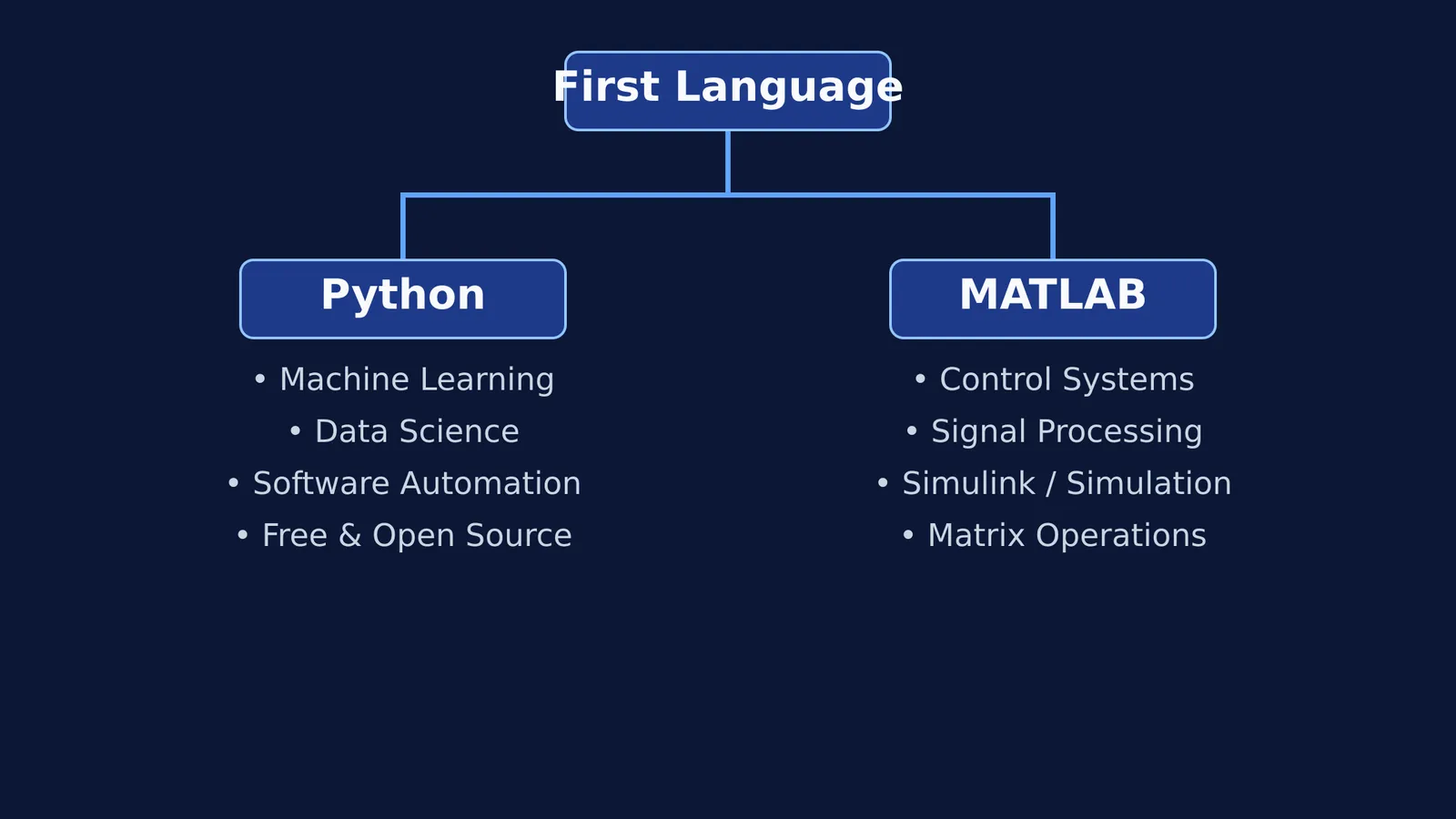
Learn Python first if you are interested in machine learning, data science, software engineering, or robotics (especially using the Robot Operating System). It provides a versatile foundation that applies far beyond traditional engineering roles.
Learn MATLAB first if you are focusing on control systems, signal processing, or mechatronics. Getting comfortable with its matrix-based syntax will make your upper-level courses much easier.
If your degree requires you to learn both, start with Python. Learning general-purpose programming concepts (like loops, functions, and object-oriented design) in Python makes it easier to pick up MATLAB's specialized syntax later.
How should you study engineering programming?
Learning a programming language for engineering is different from learning it for web development. You need to focus on how the language handles math, continuous data, and physical concepts rather than just user interfaces.
Start with the mathematics: Before writing complex code, make sure you understand the underlying theory. A simulation is only as good as the physical laws it represents. If you are stuck on a difficult mathematical concept while coding your simulation, the Fermi Concept Library explains every concept in physics, chemistry, biology, mathematics and computing.
Focus on numerical libraries: In Python, this means mastering NumPy (for matrix math) and SciPy (for numerical solvers). You will need to understand how to manipulate arrays and solve differential equations efficiently. In MATLAB, focus on vectorizing your code—applying operations to entire arrays at once—rather than writing traditional `for` loops, which can slow down execution.
Practice step-by-step logic: Engineering problems rarely have a single right answer. They require breaking down a large system into smaller, testable functions. When solving equations to translate into code, use the Fermi Problem Library—a step-by-step solver that explains the reasoning rather than printing an answer.
Visualize the system: Always plot your results to ensure they make physical sense. Does the temperature eventually reach a steady state? Does the stress exceed the material's yield strength? If a system is hard to picture from the equations alone, you can use the Fermi Simulation Lab—interactive simulations for ideas easier to see than read—before you attempt to code it yourself.
Whether you choose Python or MATLAB, the most important skill is learning how to translate a physical engineering problem into a computational model.