

On this page
If you are stuck on a physics derivation for a project, the Fermi Problem Library has worked problems with a step-by-step solver that explains the reasoning rather than printing an answer. But when you sit down to type up that assignment in Hindi, choosing the right keyboard layout saves you hours.
Typing Hindi on a computer usually comes down to two methods: phonetic transliteration or the standard InScript layout. Knowing the difference dictates how fast you will eventually type and whether you are prepared for official exams or academic milestones. If you regularly draft essays, reports, or research summaries in Hindi, mastering touch-typing offers a lifetime of time savings.
How does a phonetic Hindi keyboard work?
Phonetic keyboards rely on transliteration. You type words using the English alphabet based on how they sound, and the software converts them into Devanagari script. Typing `namaste` instantly produces "नमस्ते" on your screen.
This method requires almost zero learning curve if you already know the QWERTY layout, making it the most popular choice for casual messaging, short emails, and social media. However, because it maps multiple English keystrokes to a single Hindi character, it introduces a strict speed limit. Visual verification—checking the software's dropdown suggestions to make sure it picked "त" and not "ट"—adds a constant cognitive delay. It is highly accessible, but typing multiple keystrokes for one character can slow you down.
What is the InScript layout?
The physical interface we use to interact with machines dictates our working speed, much like how the invention of the computer mouse transformed visual navigation. To provide a uniform standard for Indian languages, the Department of Electronics (now MeitY) introduced the first InScript (Indian Script) keyboard in 1986. The Bureau of Indian Standards later formalised it as the IS 13194 standard in 1992.
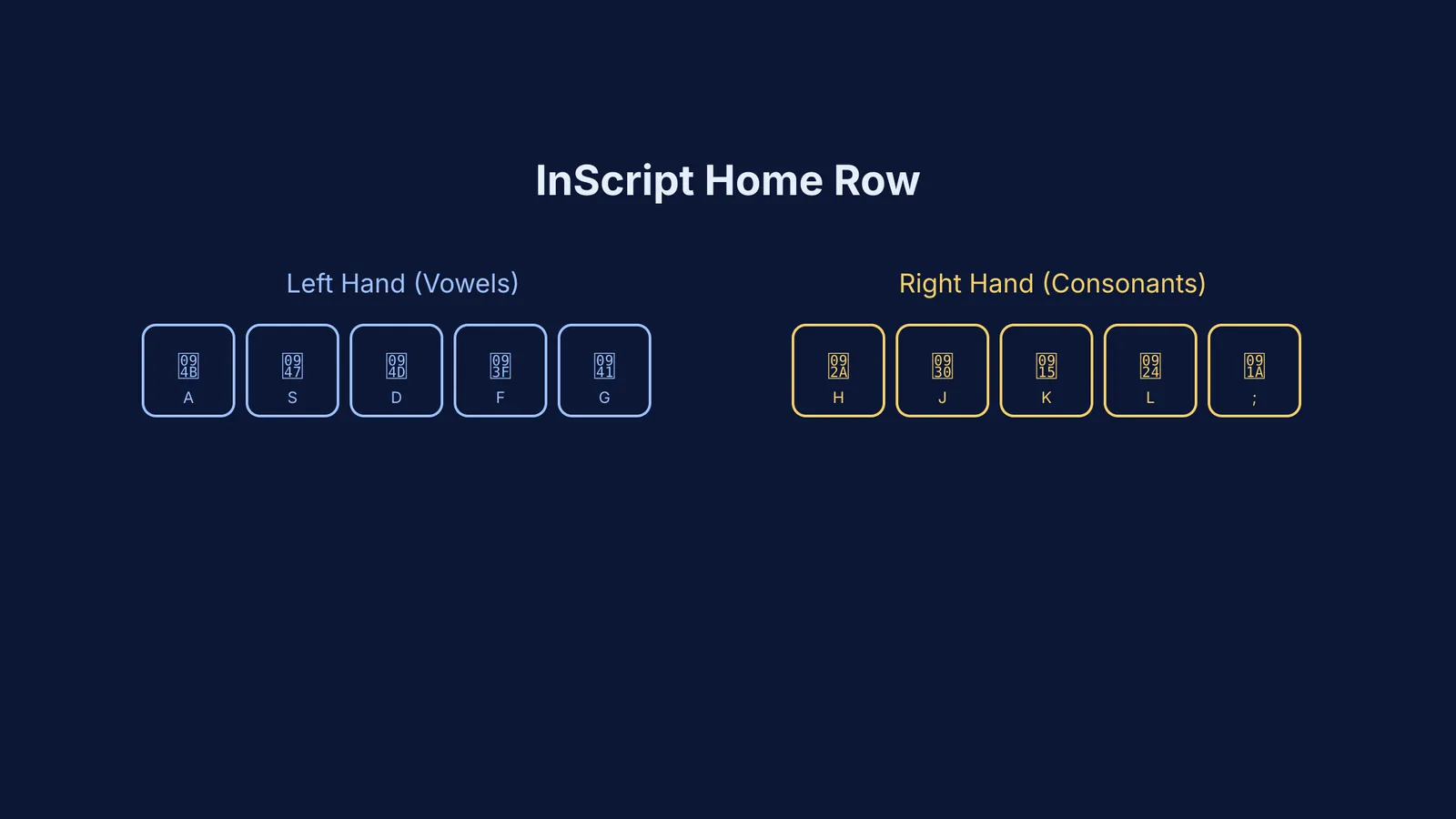
InScript maps Devanagari characters logically based on the science of phonetics, rather than mapping them to English equivalents:
The Left Hand: Dedicated to vowels and their matras (e.g., A for ो, S for े, F for ि).
The Right Hand: Dedicated to consonants (e.g., K for क, L for त, H for प).
The Shift Key: Used to access aspirated consonants (e.g., Shift + K produces ख, while K produces क).
Because every character requires only one specific keystroke, trained InScript typists can routinely reach high speeds. The layout is also phonetic across scripts—once you learn the keyboard for Hindi, you can use the exact same finger movements to type in Bengali, Gujarati, or Tamil. The keys for corresponding sounds sit in identical physical positions across all Brahmi-derived scripts. This makes switching between regional languages remarkably easy once the foundational muscle memory is established.
Which layout should I choose for exams?
If you are aiming for government recruitment—such as the Staff Selection Commission (SSC) or State PSC exams—a data entry typing test is often a mandatory hurdle. These computer-based tests typically require a minimum sustained speed of 30 words per minute in Hindi.
Official testing centres rarely permit phonetic transliteration tools, as they rely on predictive software. Instead, candidates are evaluated on either the pure InScript layout or the legacy Remington (Kruti Dev) layout. Setting up an InScript foundation early in your student life prepares you for these standardized environments, much like how learning the universal syntax of Fortran prepared early scientists for a lifetime of structured programming. It transforms typing from an active chore into pure muscle memory.
How to set up Hindi typing on Windows and Mac?
Both macOS and Windows have built-in support for InScript and phonetic layouts without needing third-party downloads. Enabling them takes just a few clicks.
On Windows 10 and Windows 11:
Go to Settings > Time & Language > Language & Region.
Click "Add a language" and install Hindi.
Under the Hindi language options, click "Add a keyboard."
Select "Devanagari InScript" for the standard layout or "Hindi Phonetic" for transliteration. Toggle between English and Hindi typing anytime using `Windows Key + Space`.
On macOS:
Open System Settings > Keyboard.
Under "Text Input", click "Edit" and then the "+" button.
Search for Hindi and add "Hindi" (which defaults to InScript) or "Hindi - Phonetic". Toggle between your keyboards using the `Control + Space` shortcut.
A Two-Week Plan to Master InScript
If you want to transition from phonetic typing to full touch-typing in InScript, short daily sessions work best. Practice for 20 minutes a day:
Days 1 to 3: Rest your fingers on the home row (ASDFG and HJKL;). Memorize the basic vowels under your left hand (ो, े, ्, ि, ु) and the core consonants under your right hand (प, र, क, त, च).
Days 4 to 7: Reach for the top and bottom rows to incorporate the remaining vowels and primary consonants without using the Shift key.
Days 8 to 10: Practice the Shift layer. Learn how pressing Shift pairs unvoiced consonants with their aspirated versions.
Days 11 to 14: Focus on typing full, complex words and conjuncts using the Halant (D) key. Prioritise absolute accuracy over speed; raw speed will naturally follow as the muscle memory sets in.
Consistency is key. Since InScript relies heavily on tactile feedback rather than visual confirmation, avoiding the urge to look down at your keyboard will accelerate your learning process. Once the basic mapping is ingrained, you can start building speed with online typing tutors specifically designed for Indian languages.


