

On this page
When you move from solving textbook circuit diagrams to building real electronics on a breadboard, your most important tool is the digital multimeter (DMM). A multimeter lets you look inside a circuit to see what the electrons are doing.
Whether you are debugging a robot for a school project or testing a battery, learning how to use a multimeter as a beginner is a practical skill that reinforces the physics you learn in class.
What does a multimeter do?
A typical multimeter combines three instruments into one: a voltmeter for potential difference, an ammeter for current, and an ohmmeter for resistance. Modern digital multimeters have a central dial to select the measurement type and range, a digital display, and two probes (red for positive, black for common or negative).
Before taking any measurement, check that your probes are plugged into the correct ports. The black probe always stays in the "COM" (common) port. The red probe goes into the main port (often labelled V/Ω/mA) for most tasks, but must be moved to a special high-current port (like 10A) when measuring large currents.
Many modern digital multimeters are auto-ranging, meaning you only need to select the property you want to measure (like voltage) and the meter automatically finds the right scale. If you have a manual-ranging multimeter, you must turn the dial to a number higher than the value you expect to measure. If you are not sure, always start at the highest range and work your way down to get a more precise reading.
How to measure voltage?
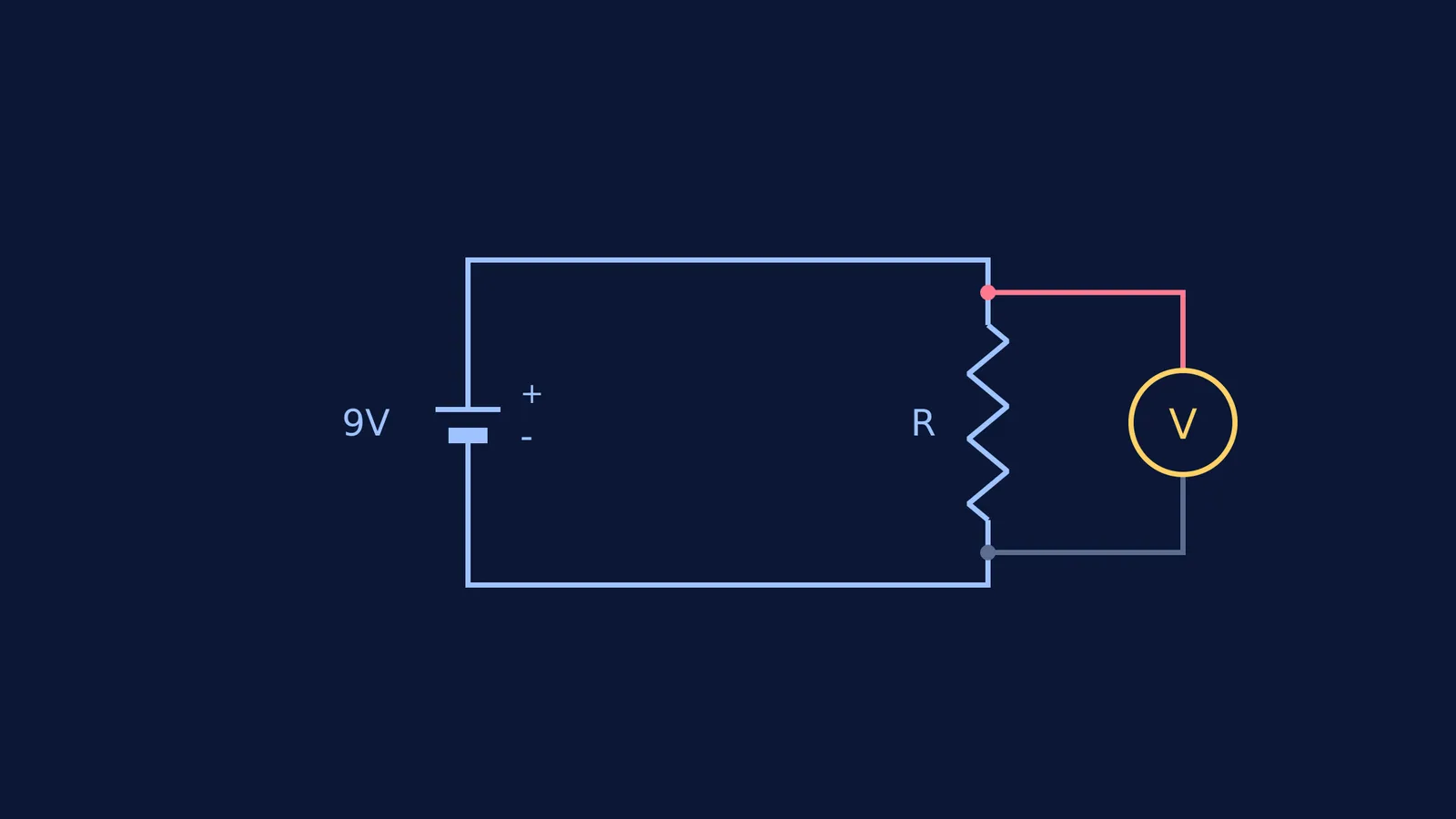
Voltage is the difference in electrical potential between two points. Because you are comparing two points, you must measure voltage in parallel with the component.
To measure voltage, turn the dial to the DC voltage setting (usually a "V" with straight lines). Leave the circuit powered on. Touch the black probe to the negative side of the component and the red probe to the positive side.
You do not need to worry about the multimeter draining your circuit. Most digital multimeters have a fixed input impedance, often 1 or 10 megohms, when measuring voltage, which ensures they do not draw enough current to disturb the circuit (Wikipedia).
If you want to review the rules for parallel branches, the Fermi Concept Library contains every concept in physics, chemistry, biology, mathematics and computing, each with its own lesson and its place in the map.
How to measure current?
Current is the flow of charge through a path. To count the electrons flowing past a point, the multimeter must become part of that path. This means you must measure current in series.
You have to break the circuit to insert the meter. Turn off the power, disconnect a wire, and place your multimeter probes across the gap so the current has to travel through the meter to complete the circuit. Turn the dial to the DC current setting (an "A" with straight lines) and turn the power back on.
Because the multimeter has to let current flow through it, it has a very low internal resistance when set to measure amps. If you accidentally connect it in parallel while in current mode, it acts like a wire and creates a short circuit. This is why you must double-check your probe positions before restoring power.
If you are unsure how much current will flow, always start with the 10A port and the highest range on the dial to avoid blowing the meter's internal fuse.
When you get stuck predicting the current for an assignment, you can bring the problem to the Fermi Problem Library. It offers worked problems with a step-by-step solver that explains the reasoning rather than printing an answer.
How do you measure resistance?
Resistance measures how much a component opposes the flow of current. Your multimeter measures this by sending a small, known current through the component from its internal battery and measuring the resulting voltage drop.
Because the meter supplies its own power, you must measure resistance with the circuit's power turned off. If you leave the circuit on, the external voltage will ruin the measurement and could permanently damage the multimeter's internal circuitry.
For the most accurate reading, remove the component from the circuit entirely. If you measure a resistor while it is still plugged into a breadboard, you might accidentally measure other parallel paths connected to the same nodes, giving you a falsely low reading.
Multimeter safety and CAT ratings?
When learning to use a multimeter, stick to low-voltage battery circuits (like 9V or 12V). Testing mains electricity (wall outlets) is dangerous and requires specific safety features.
Safety standards divide environments into measurement categories based on the transient stresses they might experience. Category I (CAT I) is for measurements performed on circuits not directly connected to mains, making it the standard environment for electronics hobbies (Wikipedia).
Category II (CAT II) covers measurements on household appliances and portable tools connected to a standard low-voltage installation. Never use a cheap, unrated multimeter on household wiring, even if the dial goes up to 600V.
Always inspect your probes before you use them. If the insulation is cracked or the metal tips are loose, replace them immediately. Even in low-voltage circuits, exposed metal can cause accidental short circuits if the probes touch each other while testing closely packed components on a breadboard.
If you are ever unsure how a circuit will behave, it is safer to test it digitally first. The Fermi Simulation Lab provides interactive simulations for the ideas that are easier to see than to read.
Read more:


