

On this page
For parents, setting up a child's first coding project can feel like a guessing game of screen time rules and online safety. Developed by the MIT Media Lab, Scratch uses colourful, snap-together blocks instead of typed text. This removes the frustration of syntax errors—a missing comma will not break the game—allowing children to focus entirely on logic, sequencing and creative design.
Here is a practical framework to guide their transition into programming, balance their digital habits, and keep them safe.
What is the right age to learn Scratch?
The main Scratch platform has over 135 million registered users and is designed for ages 8 to 16, with the most active new users typically 12 years old (Scratch Statistics). By age eight, most children can read the basic text labels on the coding blocks and follow multi-step instructions.
For younger children aged five to seven, the icon-based ScratchJr app is a better fit because it requires no reading. It allows early learners to grasp the basics of sequencing and cause-and-effect before they are ready for the main platform. ScratchJr runs on tablets and relies on touch interactions, which are often more intuitive for young children than using a mouse and keyboard.
How to start Scratch programming for kids?
A blank screen can be intimidating. The most effective way to start is not by building a complex game from scratch, but by exploring what others have done. When children see a game they enjoy, they naturally want to understand how it was made. Use this "First Weekend Plan" to ease them in without frustration:
Day one: Play and observe (half an hour). Create a free account at scratch.mit.edu. Find a featured game or animation, let your child play it, and ask, "What do you think makes the character jump?"
Day two: The first remix (half an hour). Click the "See Inside" or "Remix" button on a simple project. Show them how to change a character's colour or speed up a movement block. Modifying working code builds confidence.
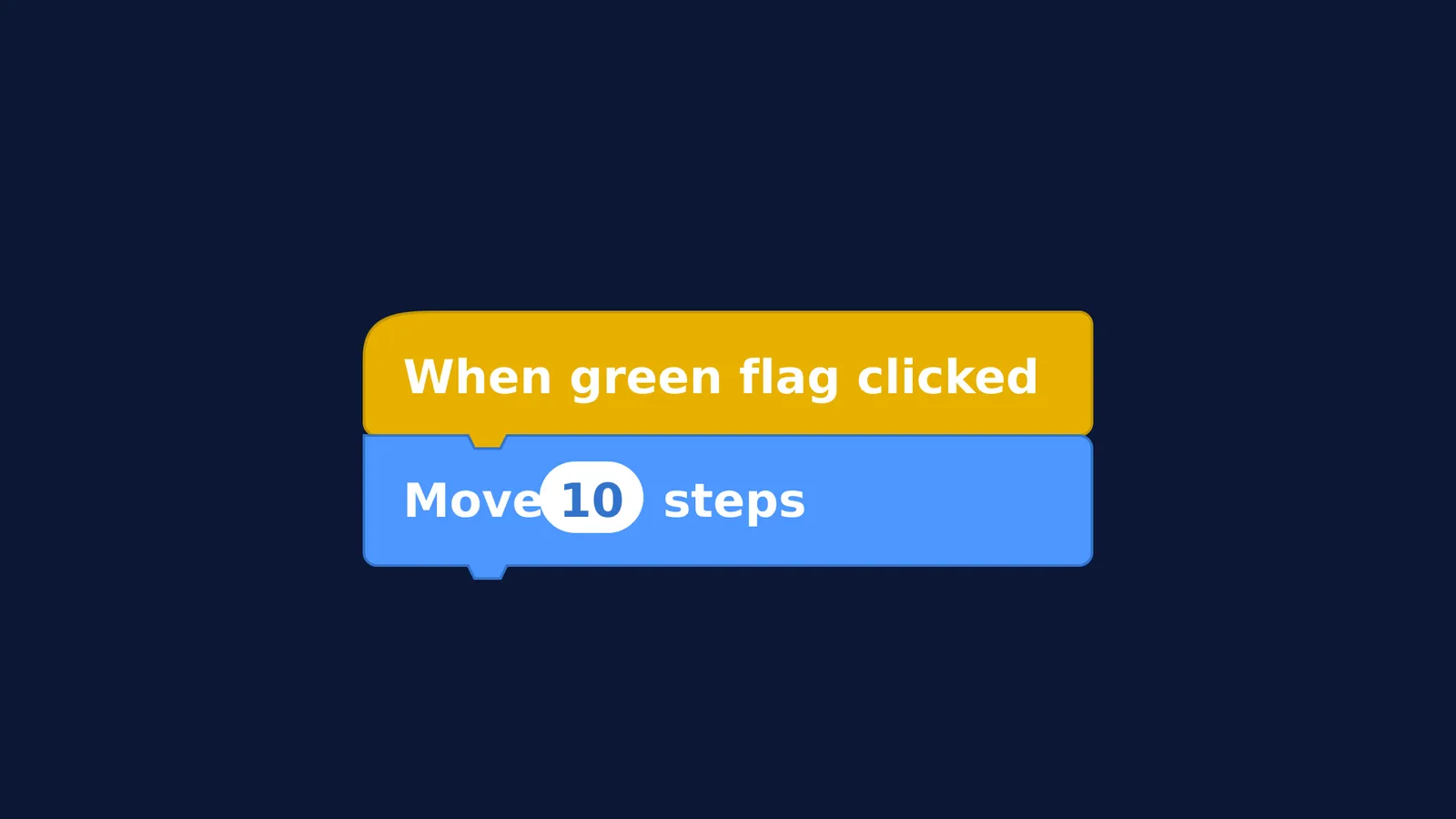
Day three: Block by block (forty-five minutes). Start a new project. Guide them to connect a "When green flag clicked" block to a "Move 10 steps" block, and see what happens. Encourage them to experiment by adding a sound block or a loop. Celebrate the small wins, like making a character spin in a circle.
As they build more complex games, they will naturally encounter geometry and physics—like calculating angles to turn a car, or using coordinates to track a falling object across the screen. These moments turn abstract maths into a practical tool. If a child struggles to picture how these coordinates or angles work, the Fermi Simulation Lab provides interactive simulations for the ideas that are easier to see than to read. If they need to review the underlying theory, the Fermi Concept Library has every concept in physics, chemistry, biology, mathematics and computing, each with its own lesson and its place in the map.
How much screen time is too much?
A common parent worry is whether coding adds to an already heavy screen time load. The World Health Organization recommends that for young children aged 2 to 4, sedentary screen time should be no more than one hour per day, and zero for those under two (WHO).
For school-aged children, paediatricians and educators distinguish between passive consumption (like scrolling through videos) and active engagement. Programming is an active, problem-solving task that requires sustained attention and logic. Treat passive entertainment as a small daily allowance, while coding can be part of their productive learning time—provided it does not replace physical play, sleep, or family interaction.
Setting clear family rules for screen time prevents daily arguments. Agree on "tech-free zones" like the dinner table and bedrooms to ensure that screens do not interfere with rest. For example, moving the family computer into a shared space like the living room makes it easier to monitor their progress and keeps the activity social.
How to keep kids safe in the Scratch community?
Scratch is not just a coding tool; it is a global community where users share and comment on projects. The Scratch Foundation actively moderates the platform to ensure a respectful environment, using automated filters and human moderators to block inappropriate content. However, parental oversight is still important, especially when children first join.
For children under thirteen, creating an account requires a parent's email address, ensuring that parents are kept in the loop about account recovery and major updates. To help children learn without pressure or unwanted feedback from strangers, parents can disable comments on their child’s shared projects. Reviewing the community guidelines together ensures they understand how to give and receive constructive feedback safely before they start interacting with others. Remind them never to share personal details, real names, or locations in their games or comments.


