

On this page
You press play on a recorded lecture and the CC button sits in the corner. Should you switch it on? The research answer is 'usually, but not always': captions help attention and memory for many viewers, yet word-for-word text under a busy diagram can pull your eyes away from the part that matters.
Do subtitles help you learn from lecture videos?
For most viewers, captions help more than they hurt. Psychologist Morton Ann Gernsbacher reviewed the research and reported that more than 100 empirical studies show captioning a video improves comprehension of, attention to and memory for the video (Gernsbacher, 2015).
Students say the same. An Oregon State University survey of 2,124 students at 15 US universities found that 98.6% of students who used captions called them helpful, and 75% used them as a learning aid (Oregon State University, 2016). Common reasons were to focus, to remember and to cope with poor audio, and students used transcripts as study guides. Surveys measure preference, though, not learning.
Who benefits most from captions and transcripts?
Gernsbacher's review names three groups for whom captions are particularly helpful: people watching in a non-native language, children and adults learning to read, and people who are D/deaf or hard of hearing (Gernsbacher, 2015).
A meta-analysis of 57 studies by Olusola Adesope and John Nesbit found that spoken-plus-written presentations beat spoken-only ones (Adesope and Nesbit, 2012). The advantage showed up mainly for learners with low prior knowledge, for presentations that ran at a fixed pace, and for material without pictures. On-screen text that pulled out key terms did better than text repeating every spoken word.
Not every study finds a gain. In an experiment on subtitles in online course videos, Tim van der Zee and colleagues found no main effect of subtitles on learning, and no interaction with students' language proficiency or the video's complexity (van der Zee et al., 2017).
Language is a real question for many Indian students. NPTEL offers course material translated into 11 Indian languages, including Hindi, Tamil and Bengali, as PDF transcripts, e-books and subtitles below the videos (NPTEL translation page).
When does on-screen text compete with diagrams?
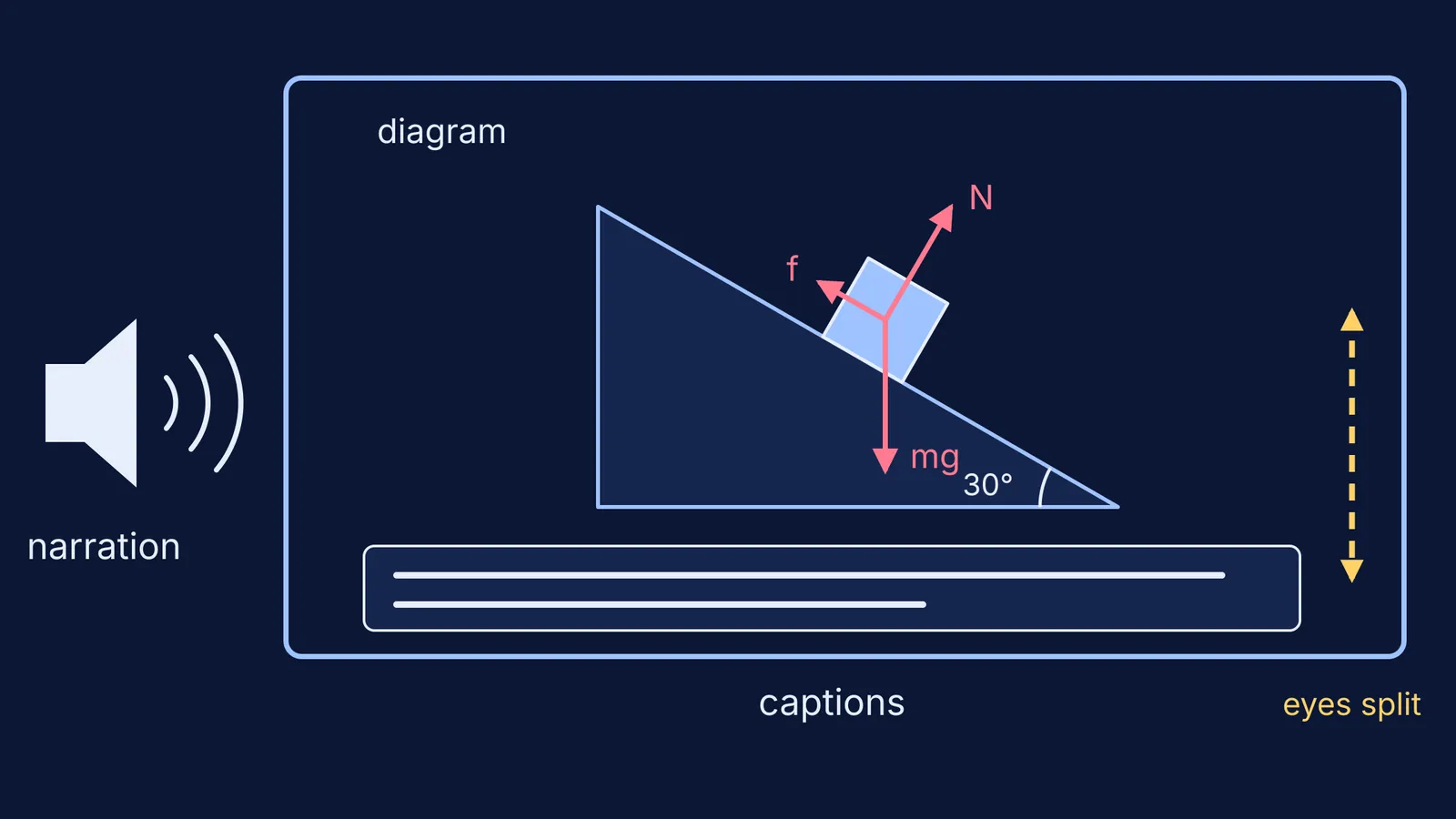
Trouble starts when a narrator is explaining a picture. In experiments by Richard Mayer, Julie Heiser and Steve Lonn, college students watched a narrated animation of how lightning forms (Mayer, Heiser and Lonn, 2001). Students who also saw on-screen text that summarised or duplicated the narration did worse on retention and transfer tests than students who saw no text. The authors' explanation: the text and the animation both arrive through your eyes, so your visual attention gets split between two places.
Carole Yue, Elizabeth Bjork and Robert Bjork tested a middle path in two experiments in which college students watched a narrated, animated lesson on the life cycle of a star (Yue, Bjork and Bjork, 2013). On-screen text identical to the narration hurt learning, but text worded slightly differently from the narration helped. Too much difference was as unhelpful as identical text. Students still said they preferred the identical text, even though their scores pointed the other way.
For the wider set of design ideas behind this, see our explainer on Richard Mayer's multimedia principles for learning from videos.
Should you turn captions on or off while studying?
Before you start a lecture:
Captions on if the audio is poor, the accent is new to you, the lecture is in your second language, or you have any difficulty hearing.
Captions on for slides full of definitions or a teacher talking to camera, where the words are the content.
Captions off, or pause, while the teacher draws or animates a diagram you need to follow.
Transcript after the video, not during it, to check your notes and find the sentence you missed.
A worked example: a 40-minute lecture on friction
Say you are watching a recorded lecture on blocks on inclined planes for JEE Main.
Minutes 0 to 10, definitions read off slides: captions on, because the words are the lesson.
Minutes 10 to 25, the teacher draws the free-body diagram and resolves forces along the slope: captions off. Watch the pen, then pause and redraw the diagram yourself.
Minutes 25 to 40, worked numericals: captions on only if the audio is unclear, and pause before each step to predict it.
After the video: search the transcript for any term you missed, such as 'limiting friction', and write a two-line summary beside your sketch.
Pausing and predicting are covered in our guide on how to learn from video lectures, and pairing a sketch with a short note is the idea behind dual coding in your science notes.
If the forces still feel hard to picture, more text rarely helps. The Fermi Simulation Lab has interactive simulations for ideas that are easier to see than to read, and Fermi's AI tutor works out what you already know and builds a plan for the session.
Next time you hit play, ask one question before touching CC: is the lesson in the words, or in the picture?


