

On this page
In short A pie chart represents data as slices of a full 360-degree circle. To find the central angle for a pie chart sector, divide the category's value by the total value and multiply by 360° [[1]](https://en.wikipedia.org/wiki/Pie_chart).
How to calculate central angle for pie chart?
A pie chart (or circle chart) is a graphic divided into slices, where the arc length and area of each slice are proportional to the quantity they represent. Because a full circle contains exactly 360°, the total of all your data must map onto those 360°.
To calculate the central angle for any given category, use this formula [[1]](https://en.wikipedia.org/wiki/Pie_chart): Central Angle = (Value of Category / Total Value) × 360°
For a concrete example, look at the 2004 European Parliament election results [[1]](https://en.wikipedia.org/wiki/Pie_chart). In that election, the largest political group (the EPP) won 276 seats out of a total of 732 seats [[1]](https://en.wikipedia.org/wiki/Pie_chart).
First, find their fractional share of the total: 276 / 732 (or 37.7%).
Multiply that fraction by 360°: (276 / 732) × 360° = 135.7°.
When drawing this slice with a protractor, you would mark an angle of 135.7°.
We can do the same for the second largest group, the PES, which won 200 seats [[1]](https://en.wikipedia.org/wiki/Pie_chart). Their share is 200 / 732. Multiplying this fraction by 360° gives an angle of 98.4°. You continue this process for every category until the entire circle is filled.
How to find the angle from a percentage?
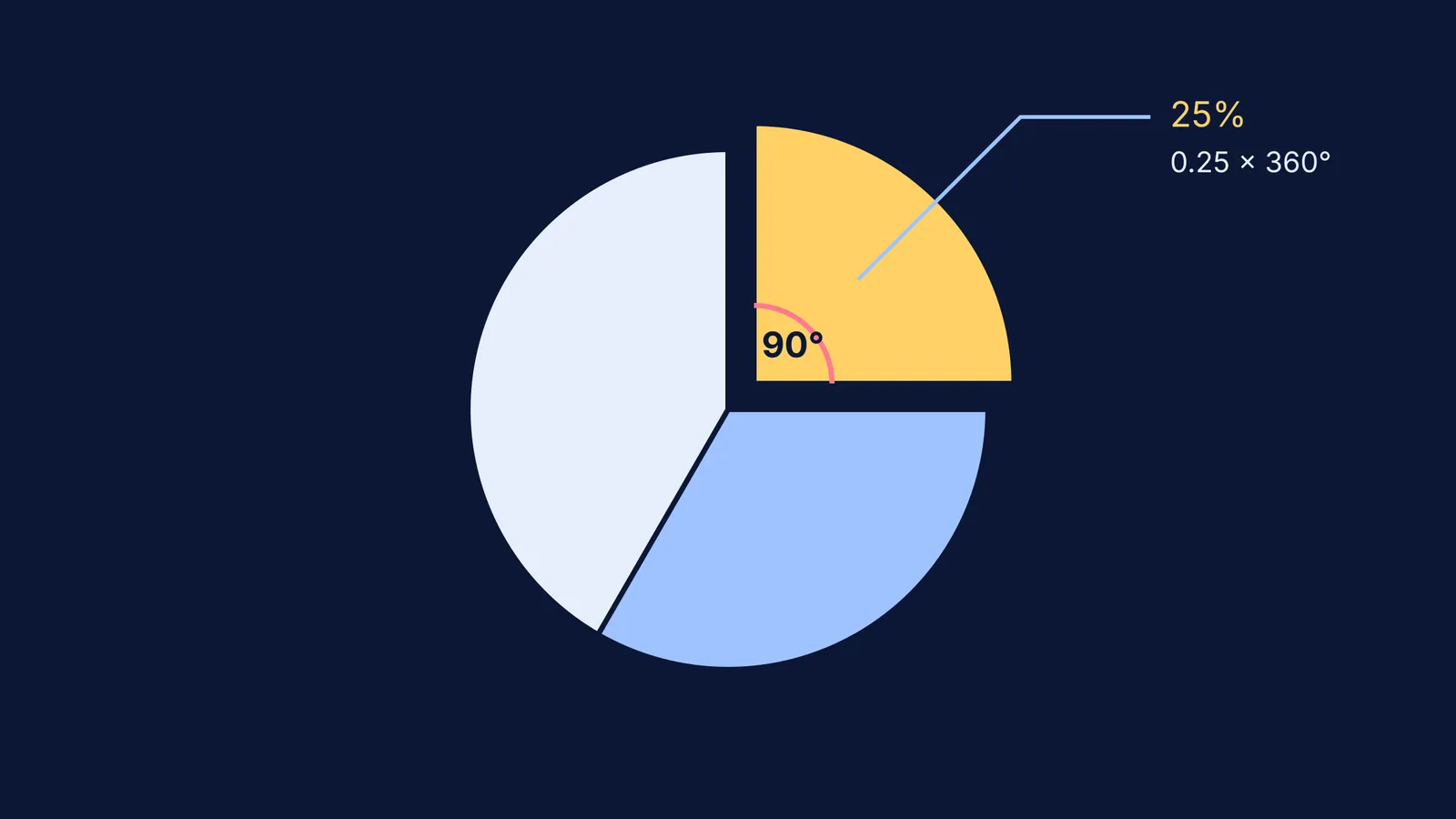
If your data is already provided in percentages, the calculation requires one less step. Since a percentage is simply a fraction out of 100, you divide the percentage by 100 to convert it to a decimal, and then multiply by 360° [[1]](https://en.wikipedia.org/wiki/Pie_chart).
If a particular hypothetical category makes up 25% of the total dataset: Angle = (25 / 100) × 360° = 90°
A 90° angle forms a perfect right angle, which correctly represents exactly one quarter of the circle. Similarly, a 50% share corresponds to 180°, drawing a straight line across the middle to form a semicircle.
Checking your work: do the angles add up?
The sum of all central angles in a pie chart must equal 360° exactly [[1]](https://en.wikipedia.org/wiki/Pie_chart). This provides an essential, built-in check for your mathematics.
After you calculate the individual angles for every category in your dataset, you should add them all together before drawing anything. If the sum comes out to 359° or 361°, you likely have a rounding error. This happens frequently when dividing odd numbers or repeating decimals.
Reading a value back from an angle
Sometimes you are given a printed pie chart and the total number of items, but the individual slice values are missing. You can run the formula in reverse to extract the raw data back out of the image [[1]](https://en.wikipedia.org/wiki/Pie_chart).
To find the original value from an angle, use a protractor to measure the degrees of the slice, divide that by 360° to find the fraction, and multiply by the total: Value = (Central Angle / 360°) × Total
For instance, imagine a chart represents a survey of 500 students. If the slice for "walks to school" measures 72°: Value = (72° / 360°) × 500 = 100 students.
Visualising statistics in practice
While pie charts are excellent for showing the relationship of parts to a whole, they can be difficult to read if you have more than five or six categories. The human eye struggles to compare the exact size of similar angles. In those cases, a bar chart is often a better choice [[1]](https://en.wikipedia.org/wiki/Pie_chart).
The pie chart is generally credited to William Playfair, who published the first known example in his book *Statistical Breviary* in 1801 [[1]](https://en.wikipedia.org/wiki/Pie_chart). He was a true pioneer of data visualisation, and you can explore more of his innovations by reading about William Playfair and the bar chart.
Graphs are the bridge between raw numbers and human intuition. Once you understand how to represent data visually, you can start analysing its deeper properties, such as how adding to or scaling data changes the mean and variance.
If you are confused by data handling, graphing, or statistics, the Fermi Concept Library maps out the foundational ideas behind probability and geometry so you can fill any gaps in your understanding before your next exam.


